3 Easiest Ways to Convert PDF to EPUB without Losing Formatting

Summary :
This article is the most effective guide to convert PDB to EPUB while retaining the original format. Even if you are a beginner, you can achieve the conversion perfectly.
Table of Contents
Convert PDF to EPUB without Losing Formatting
With the popularity of digital reading, PDF has become widely used due to its portability and high shareability. However, for those who like to read long-content books on electronic devices and achieve paperless reading at any time, EPUB is a better choice than PDF.
In this article, we provide you a detailed guide on how to convert PDF to EPUB easily and introduce you tips on how to effectively preserve the original format of PDF during the conversion process. Let’s take a look!
The Manual Way to Convert PDF to EPUB
First of all, the first method that can highly preserve the original document format is to perform manual conversion. This method requires the combined use of PDFgear, Microsoft Word and Calibre. PDFgear is the best PDF reader and editor that can effectively copy text in PDF without link breaks. Microsoft Word can effectively modify and restore the format of the original file. Calibre is a commonly used e-book reader that can import files in any format and convert them to EPUB for subsequent reading.
However, this method is only suitable for less complex and plain text PDF documents. For large PDF documents, the latter method is more recommended.
Step 1. Install and open PDFgear on your device > Click “Open File” to open the PDF file that needs to be converted.
All-in-one PDF reading, editing and organizing software that can complete almost all PDF-related tasks. No registration required, no watermark and completely free.
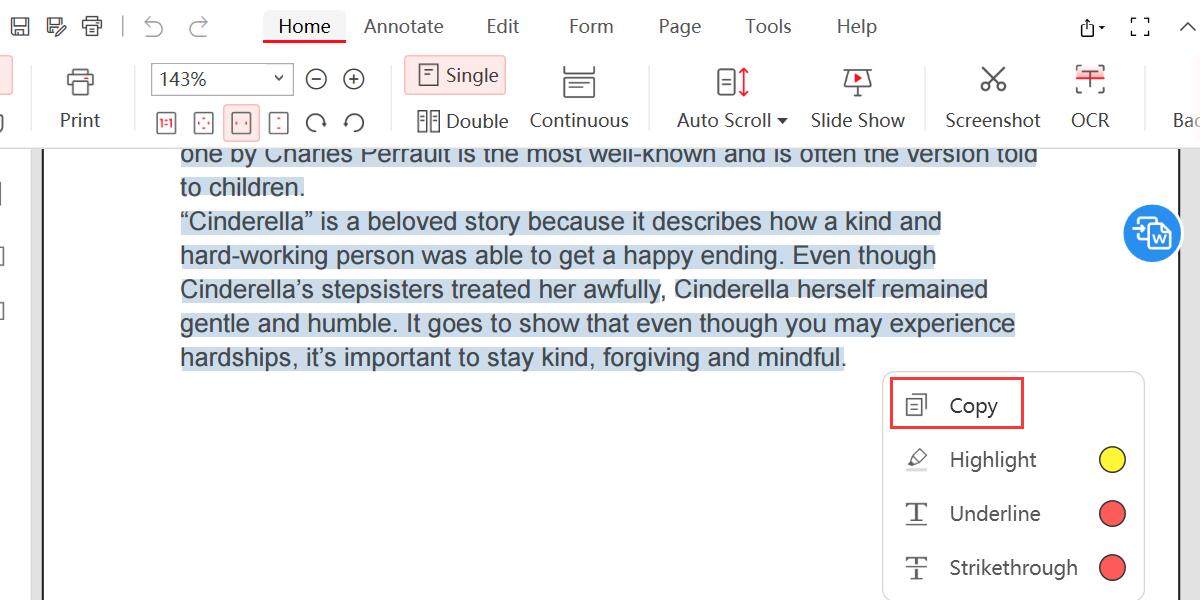
Step 2. Select all text > Click “Copy”.
Copy Text from PDF
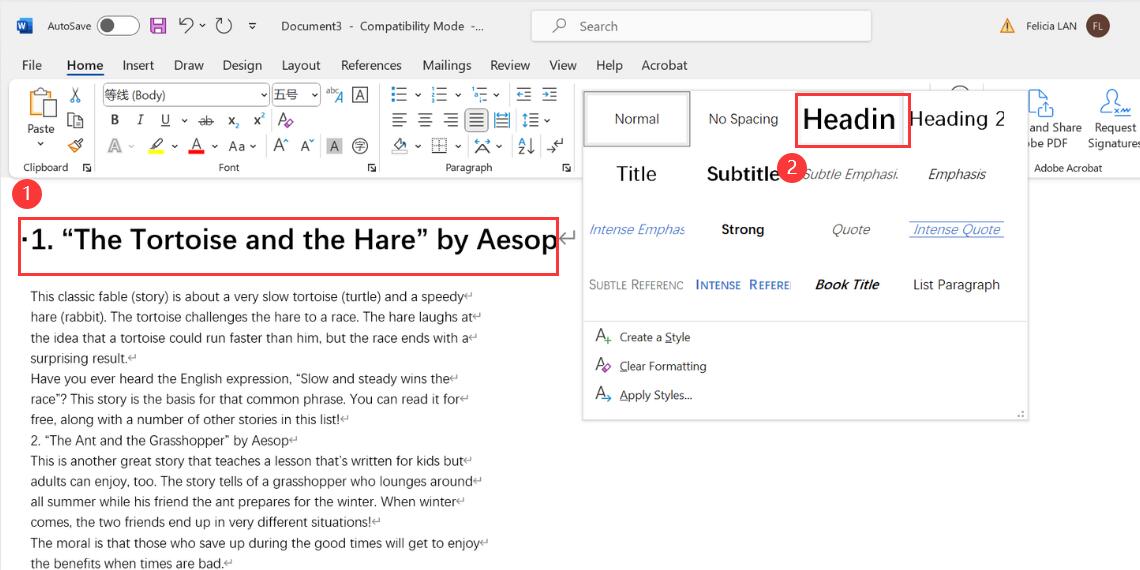
Step 3. Create a new Microsoft Word document > Paste the text from the clipboard into the Word document > Modify the format and layout > Apply title format to the title text.
Paste Text into Word and Adjust Formatting
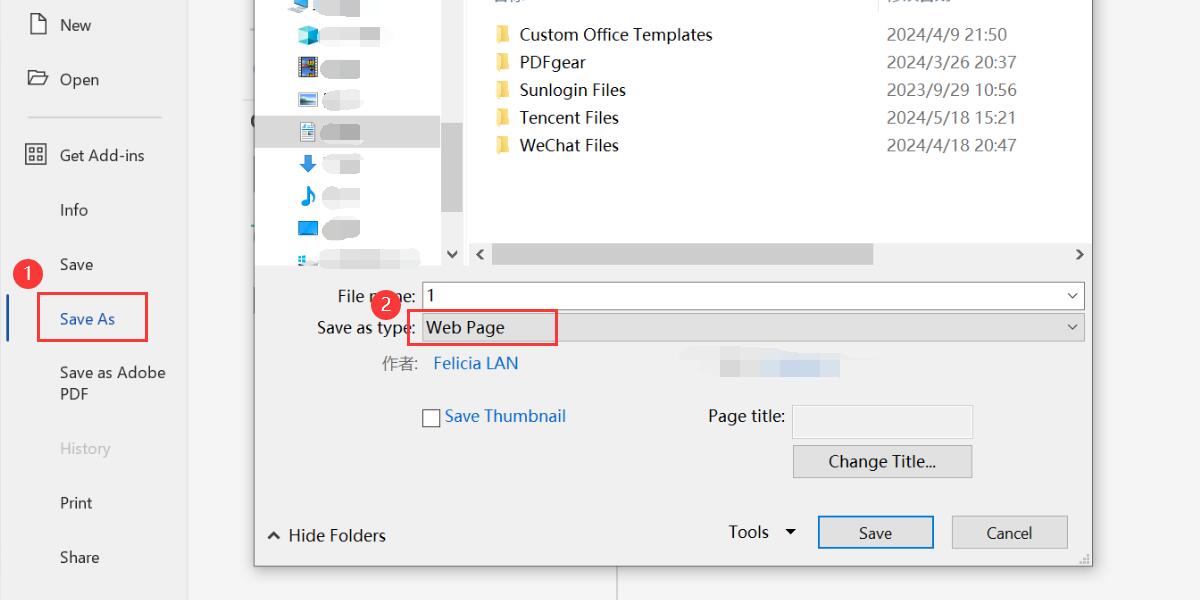
Step 4. Click “File” > “Save as” > Select the save path and select the save format as “Web Page”.
Save Word as Web Page
Step 5. Open Calibre > Click “Add Book” to upload the web page file just saved to Calibre.
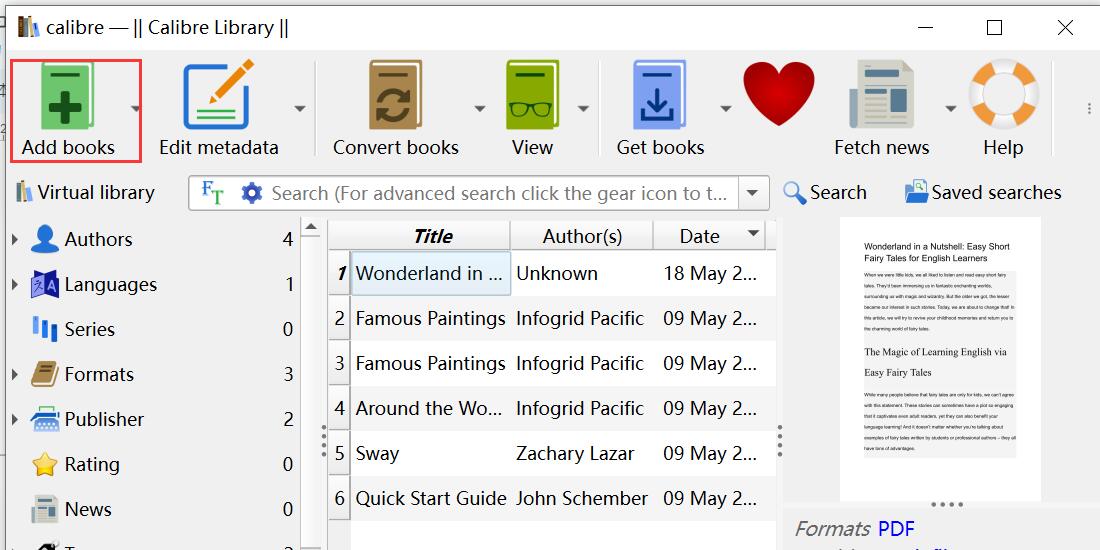
Add File to Calibre
Step 6. Select the file you just uploaded > Click “Convert Book”.
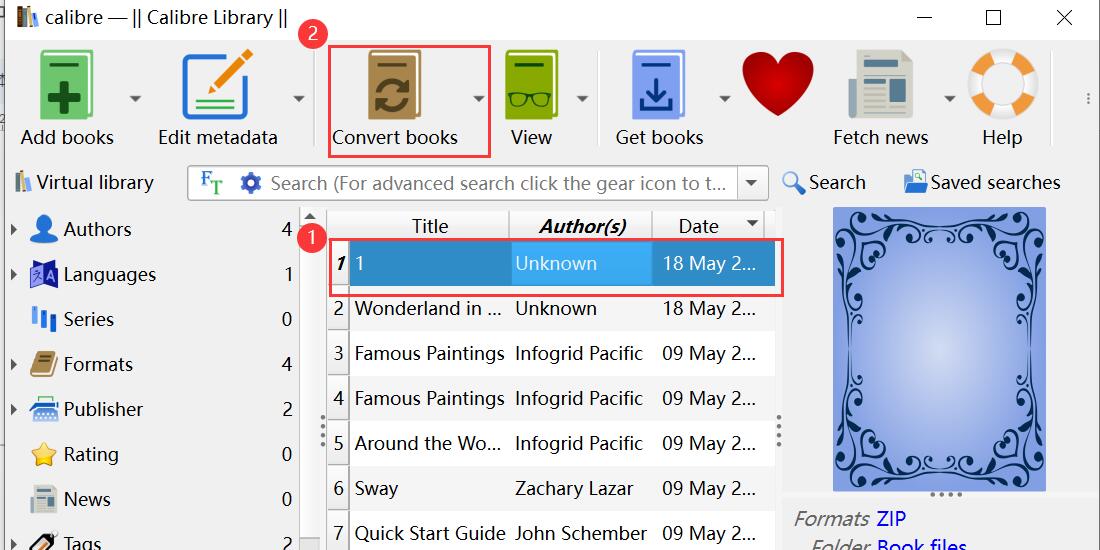
Open the Calibre Conversion Tool
Select the output format as “EPUB”.
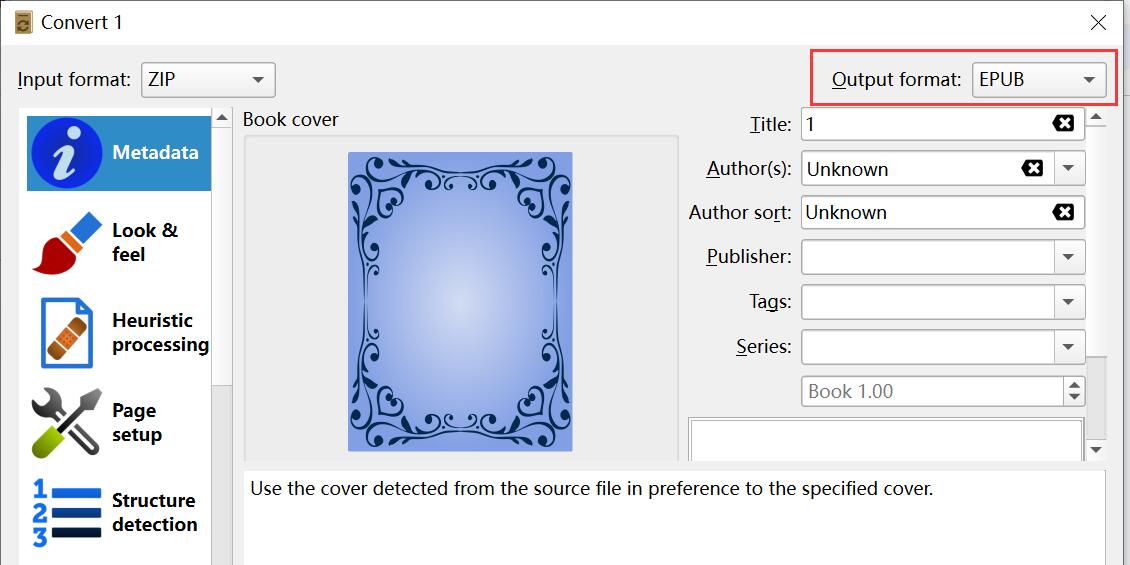
Set Output Format as EPUB
Step 7. Select “Look&Feel” in the left menu bar > Go to the “Layout” tab > Check “Remove spacing between paragraphs”.
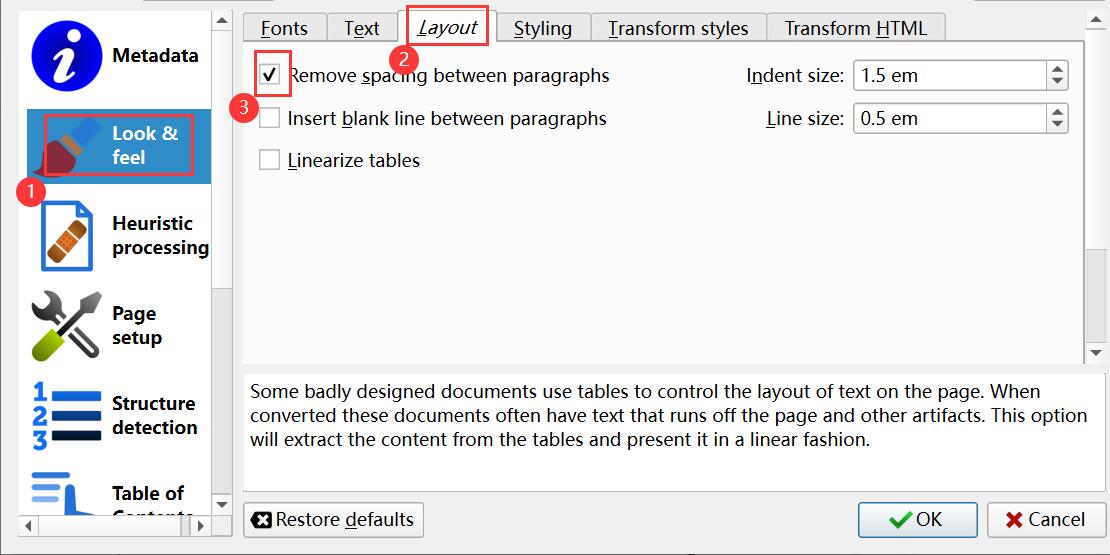
Set Look and Feel
Step 8. Select “Table of Contents” in the left menu bar > select the button on the right of “Level 1 TOC (XPath Expression):”.
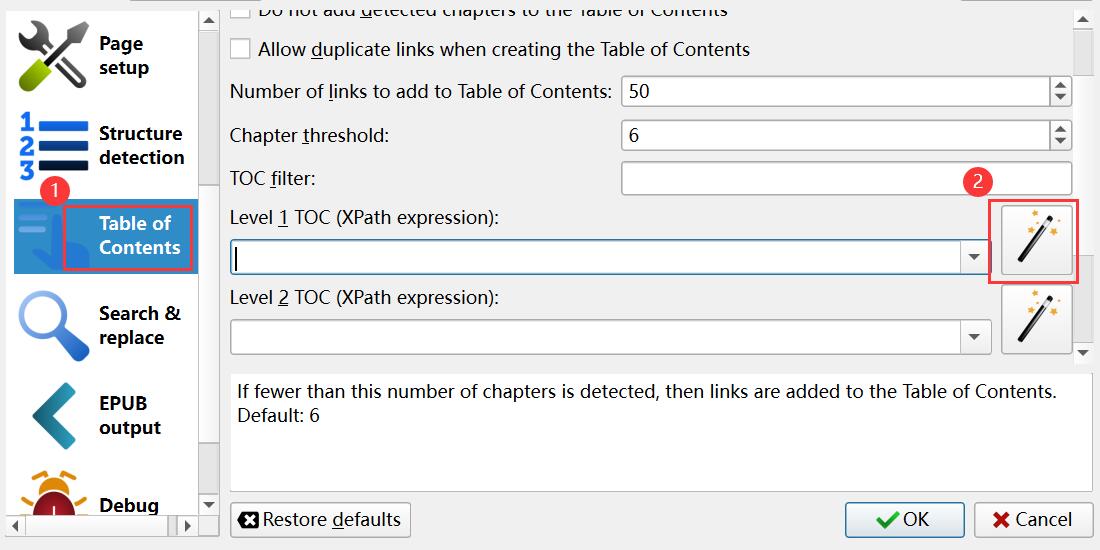
Set Table of Contents
Select “h1” from the drop-down menu of “Match HTML tags with tag name:” in the new window that pops up > Click “OK”.
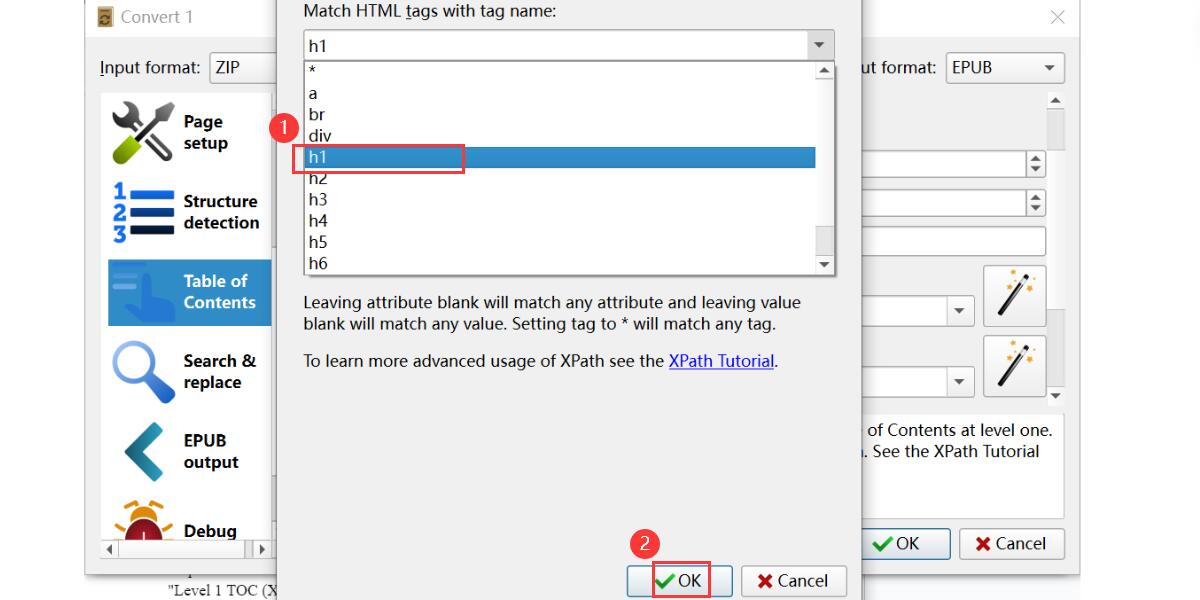
Select H1
Step 9. Click OK and Calibre will immediately start converting the file to EPUB.
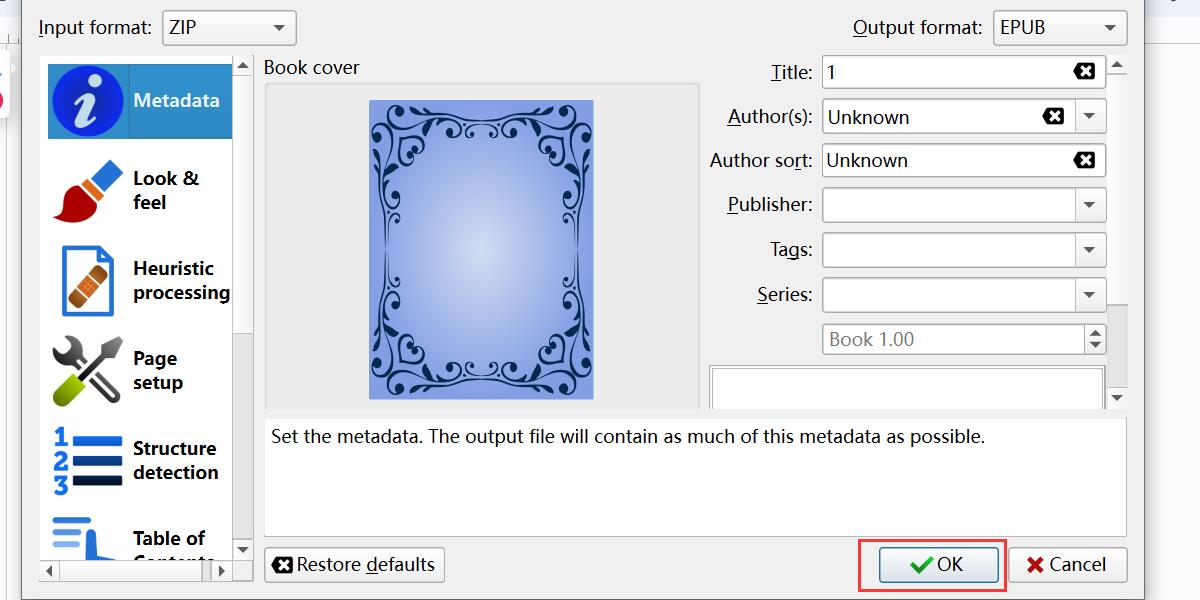
Convert File to EPUB with Calibre
Using Free Online PDF to EPUB Converter
The second way to convert PDF to EPUB is to use an online converter. This method is more direct and faster than manual conversion.
Cloudconvert is the perfect choice to meet your requirements. This is a professional online document converter that can convert more than 200 formats such as converting Excel, Word, EPUB, etc. to PDF and vice versa. Its PDF to EPUB converter supports batch conversion and thanks to the most advanced conversion technology, its output quality is exactly the same as the original file.
Step 1. Now visit Cloudconvert PDF to EPUB converter > Click “Select File” to upload the PDF that needs to be converted.
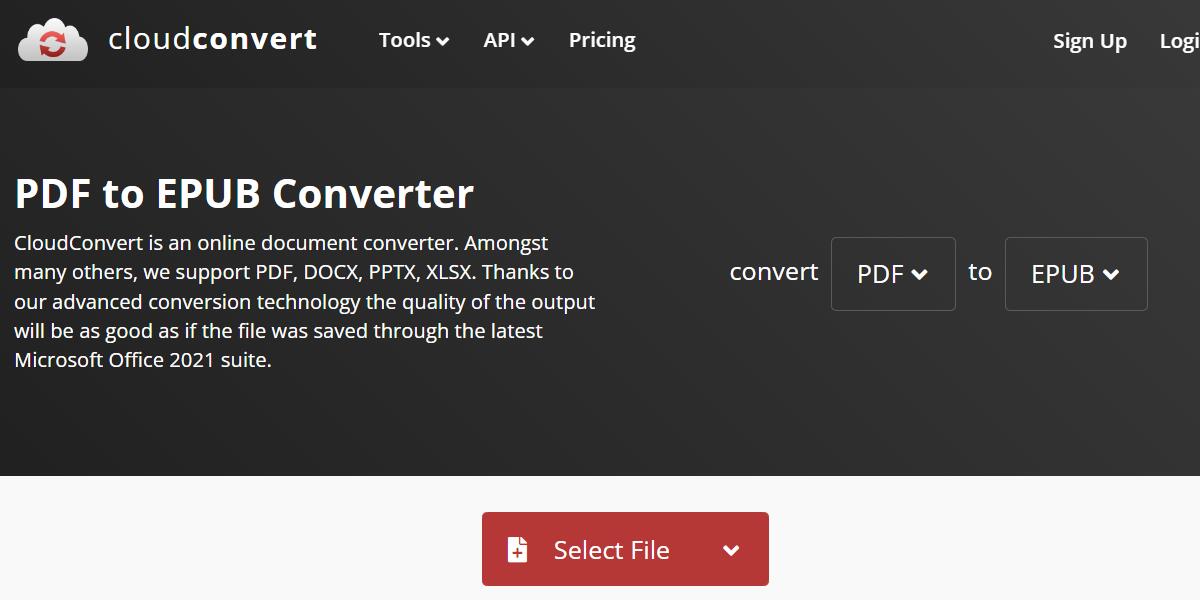
Upload PDF Online
Step 2. Click “Convert” to convert PDF to EPUB online.
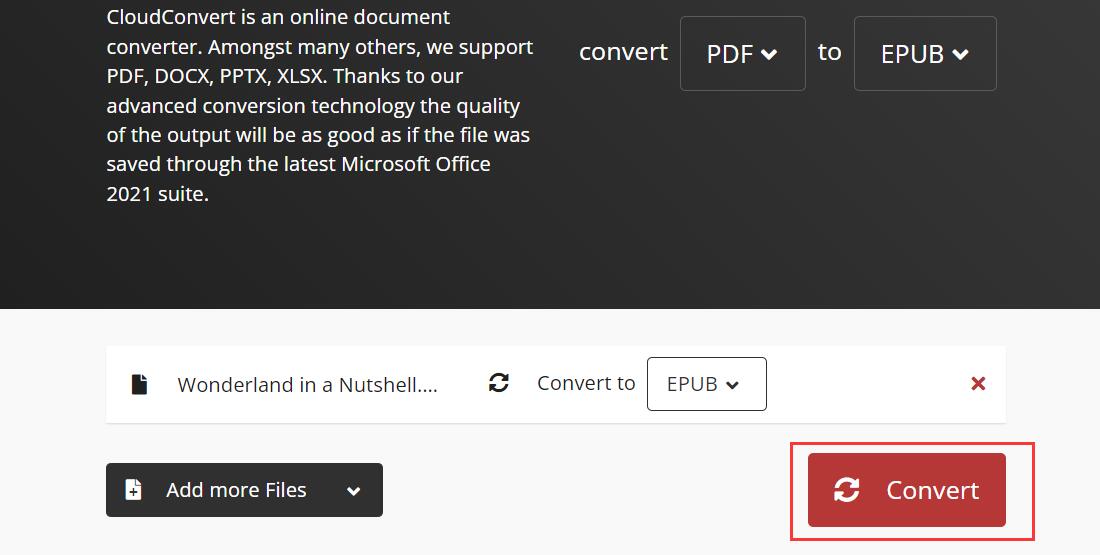
Convert PDF to EPUB Online
Step 3. After waiting for the conversion process to complete, click “Download” to save the converted EPUB file.
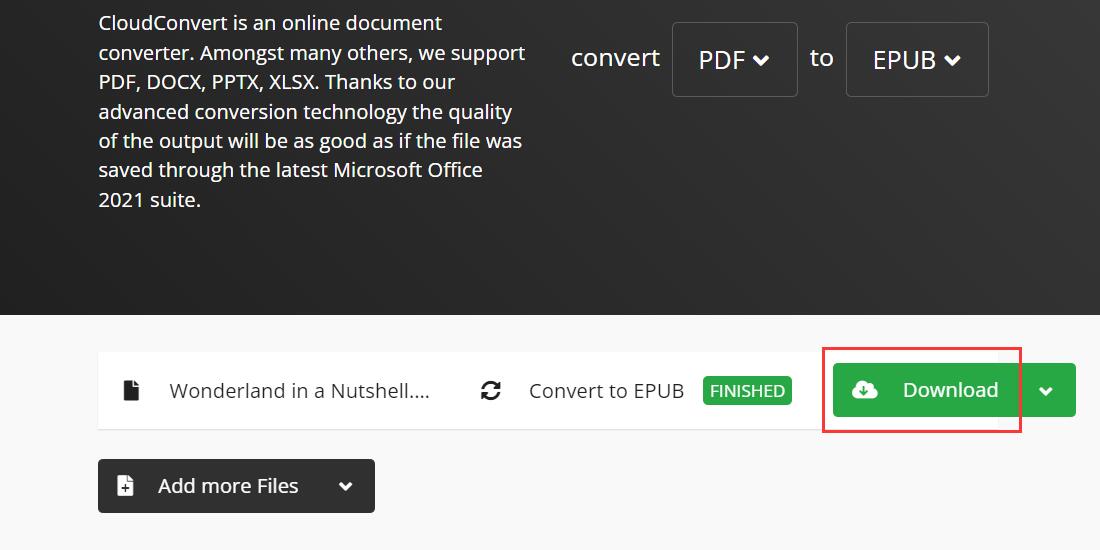
Save EPUB File
Using Adobe Acrobat
Although Adobe Acrobat is the strongest helper for PDF tasks, it can complete various conversion tasks such as converting Word to PDF and exporting PDF to Excel. But currently, it does not support converting PDF to EPUB directly.
However, we recommend using Adobe InDesign to complete this task. The operation is simple and supports converting complex PDF files containing navigation buttons, page transitions, animations, and hyperlinks to EPUB without losing quality.
Step 1. Open Adobe InDesign > Create a new document > Click “File” > “Place” > Select the target PDF file > Import the PDF into Adobe InDesign.
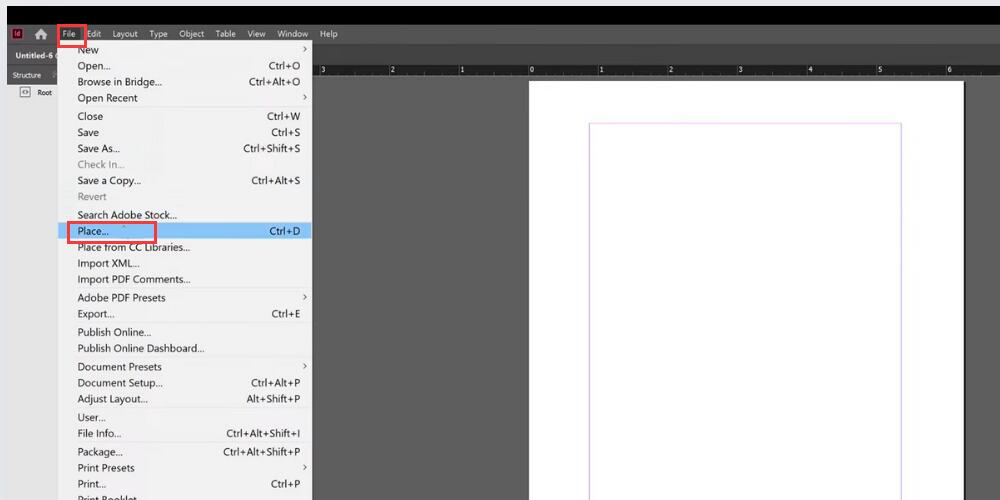
Open PDF in Adobe InDesign
Step 2. Select “File” > “Export”.
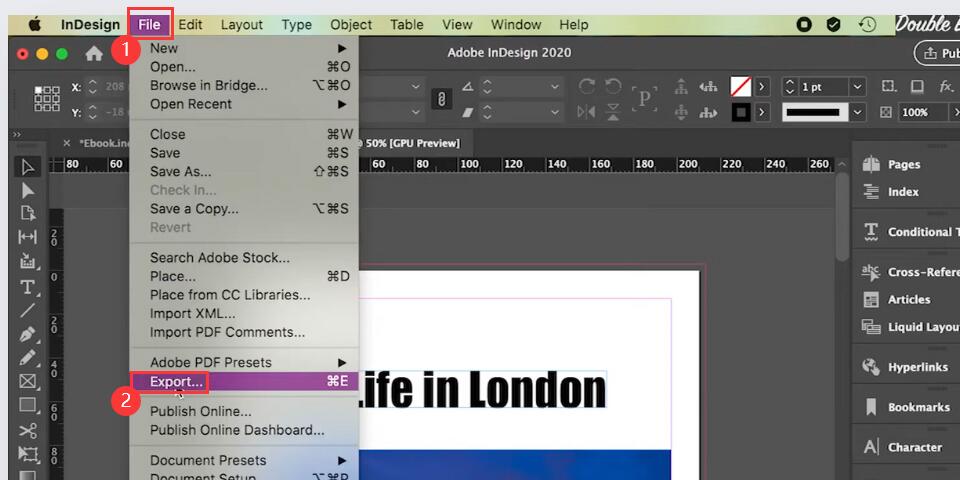
Export File
Confirm the save name and path > Select “EPUB” as the export format > Click “OK”.
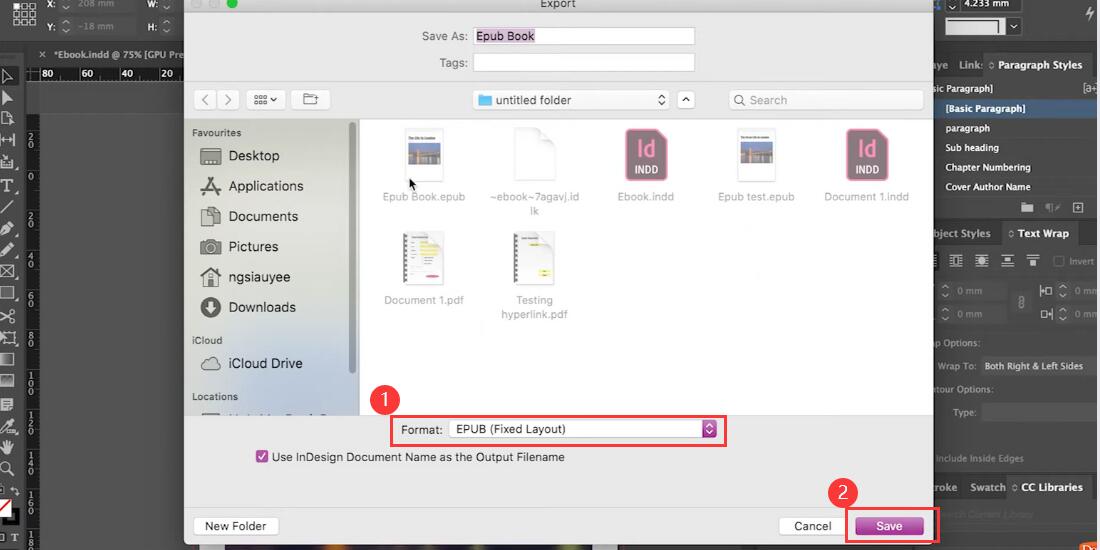
Export File as EPUB
Advanced Tips for Preserving Original Quality
Optimize the PDF before conversion:
Ensure the PDF is clean, with proper tagging, logical reading order, and actual text (not images of text). This helps the converter understand the structure better.
Use PDF styles and structure:
Apply paragraph and character styles in the original PDF document. Structured PDFs with proper heading levels and lists are easier for converters to interpret.
Convert to HTML/XHTML first:
Some experts recommend first converting the PDF to HTML/XHTML using tools like Calibre, then converting that HTML to EPUB. This two-step process can better preserve formatting.
Choose a professional PDF to EPUB converter
Professional document format converters can effectively convert documents in multiple formats, such as TXT to PDF, PDF to EPUB, etc. while retaining the original format.
Manually edit the EPUB:
After conversion, open the EPUB file in an editor like Sigil or Calibre’s editor. You can fix formatting issues, tweak CSS styles, and adjust the HTML structure manually.
Conclusion
The above are the proven methods and techniques for converting PDF files to EPUB. No professional skills are required and anyone can easily complete the conversion. Convert PDF to EPUB now and start your e-reading journey.
