How to Make a PDF Signable for Free

Summary :
Learn how to create a signable PDF and make a PDF signable for free by adding fillable signature fields to collect signatures without printing or scanning.
Table of Contents
Need to make a PDF signable without cost? This guide will show you how to create a signable PDF for free using online tools.
Whether you need to add signature fields or collect digital signatures, follow these simple steps to make your document ready for signing in just a few clicks.
How to Make a PDF Signable Online
PDFgear’s Fillable PDF Creator is a free and versatile tool that lets you insert editable signature fields or instantly sign PDFs on both computers and mobile devices.
It’s completely free, with no signup or watermarks required.
Step 1. Go to PDFgear’s Fillable PDF Creator and click “Select PDF File” to upload the document that needs a signature.
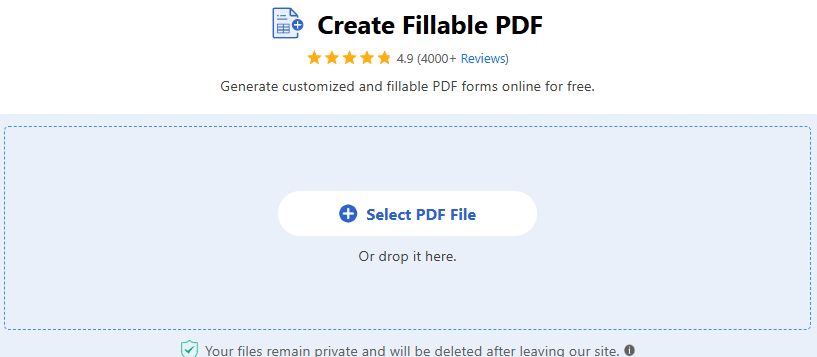
Open PDF with PDFgear Online PDF Form Creator
Step 2. Click the pen icon and choose “Add Signature.”
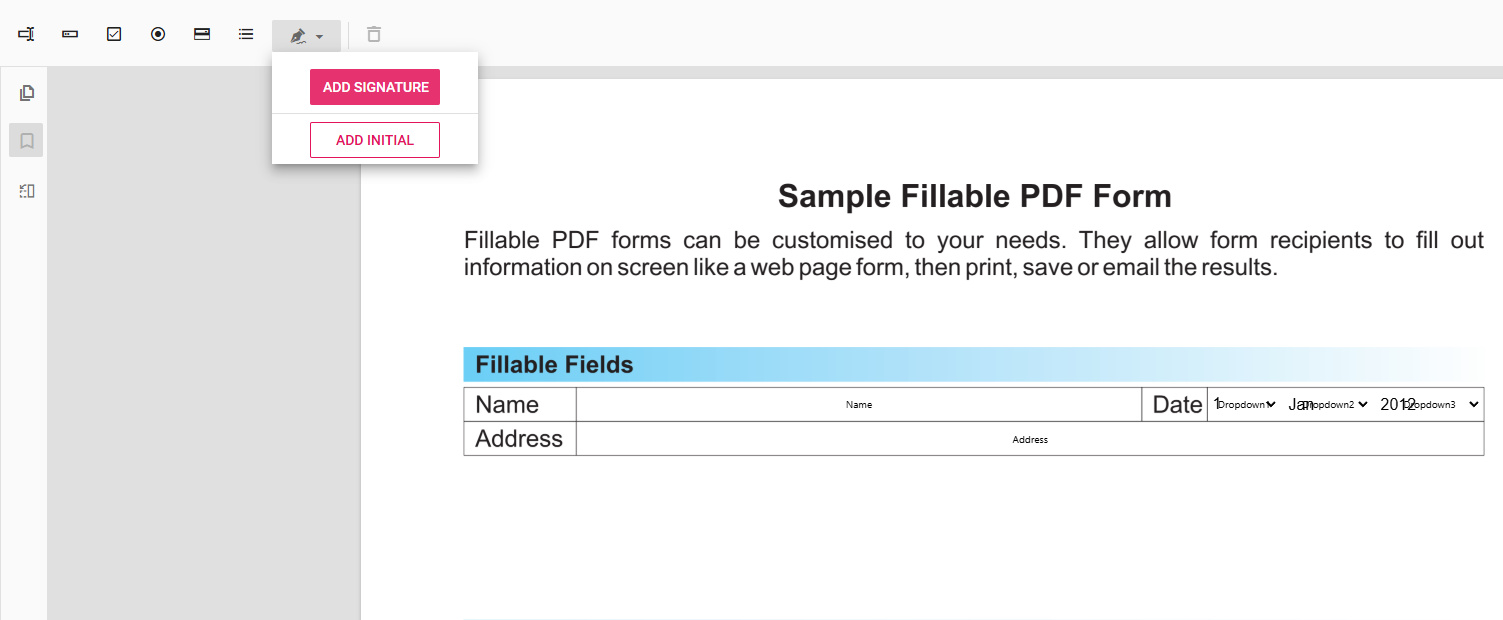
Click Add Signature Button in PDFgear
Step 3. Click anywhere on the PDF page to place the signature field where needed.
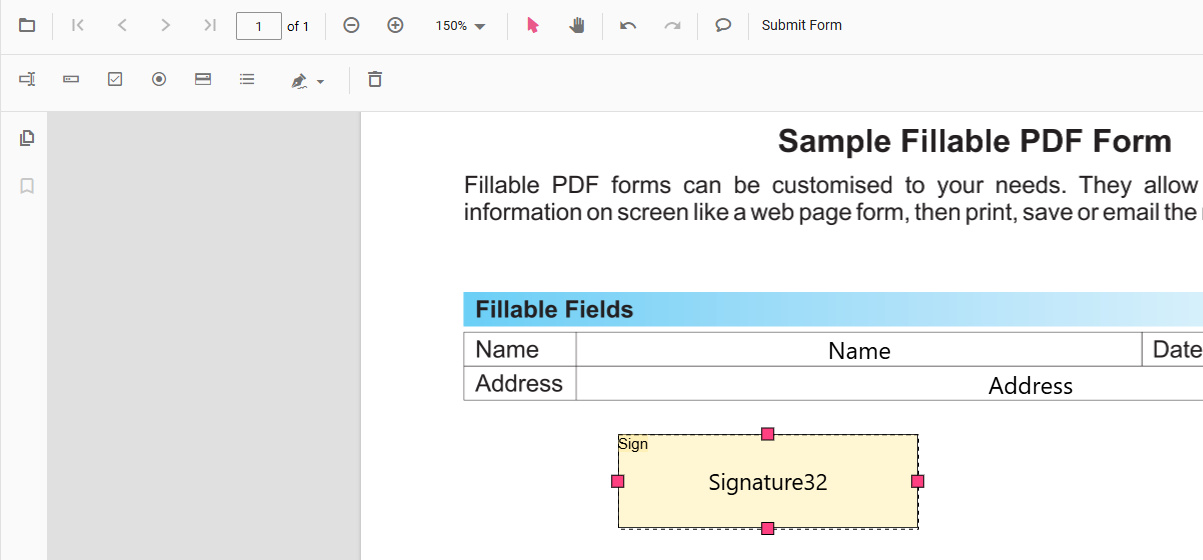
Add Signature Field in the PDF
To adjust the signature properties, double-click on the signature field you just added.
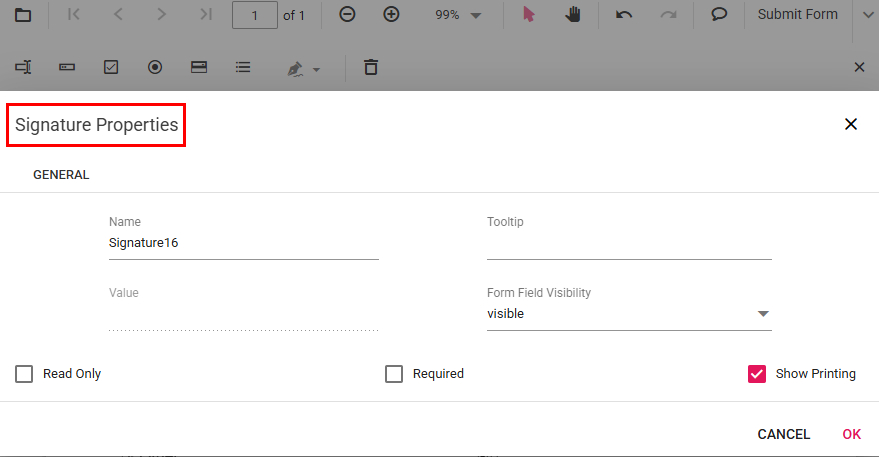
Set the Signature Properties in PDFgear
Step 4. When recipients receive the PDF, they will be prompted to sign when they click the designated signature area.
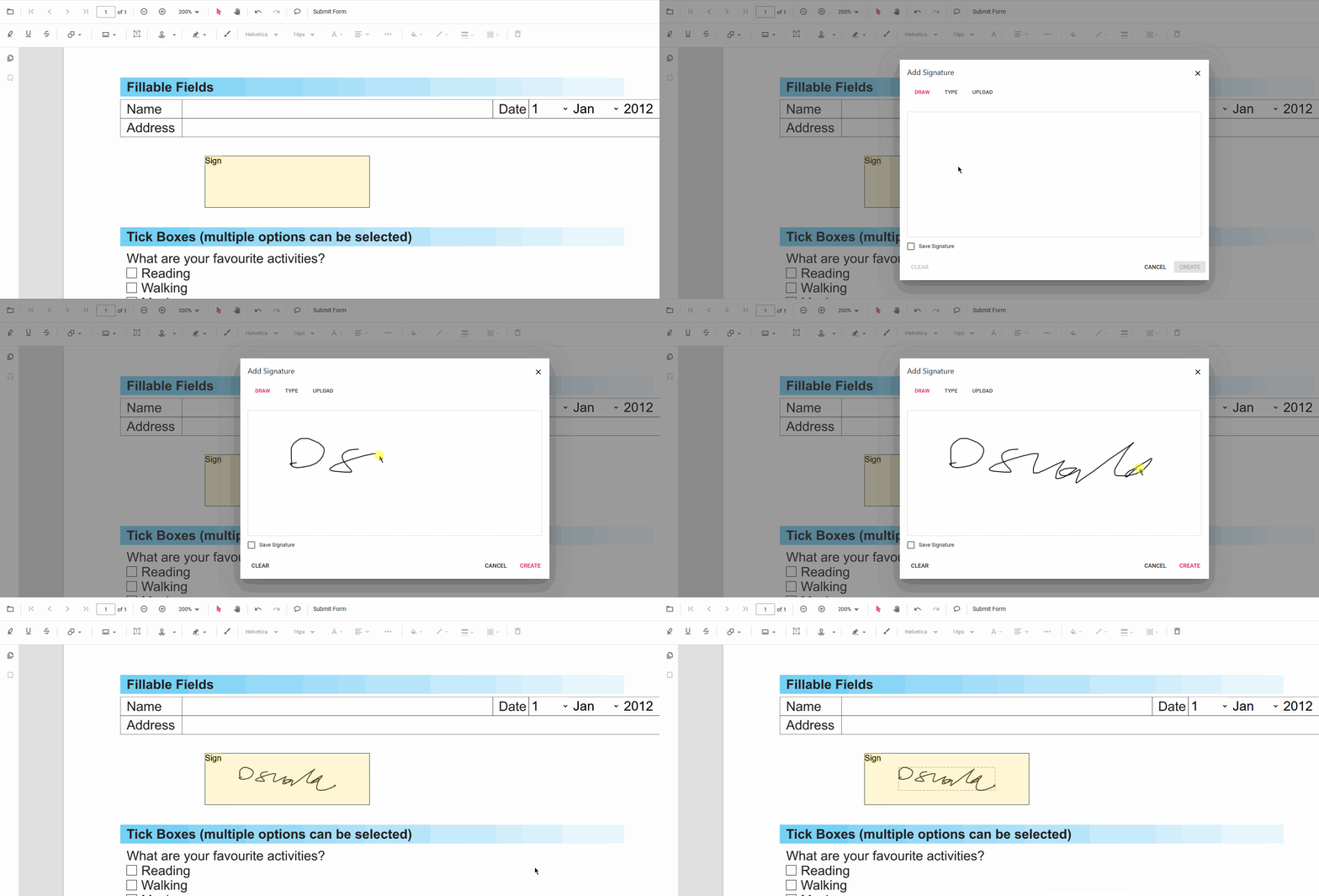
Click Sign Area to Insert a Name
(Optional) Want to sign the PDF yourself?
Click “Add or Edit Annotations” on the right, then “Add Signature.” You can create your signature by drawing, typing, or uploading an image.

Fill and Sign Online with PDFgear
FAQs
What is a signable PDF?
A signable PDF is a document that includes form fields or signature fields, enabling users to sign electronically. This eliminates the need to print, sign, and scan documents, making digital signatures quick and efficient.
Can I make a PDF signable using Adobe Reader?
No, Adobe Reader does not allow you to create signable PDFs with form or signature fields. To do this, you would need to subscribe to Adobe Acrobat Pro, which costs $29.99 per month.
Alternatively, PDFgear lets you create a signable PDF online for free without any subscription or software download.
How to make a PDF signable and request others to sign for free?
Adobe Acrobat Pro offers a signature request feature, but it costs $29.99 per month.
For a free alternative, PDFgear allows you to add signable fields to your PDF. Simply create the signable PDF, download it, and share it with others for signing—no cost or subscription required.
Conclusion
This article has introduced a reliable PDF editing tool for signing documents and guided you through the process of adding your signature.
With PDFgear, you can efficiently and cost-effectively sign documents yourself. However, if you need to collect e-signatures from others, Adobe Acrobat is the best choice due to its signature field functionality.
