The 9 Best Free OCR Software for Computer and Mobile

Summary :
This article introduces 9 popular free OCR tools to help you quickly complete PDF conversion work on any device. PDF editing has never been easier!
Table of Contents
Best Free OCR Software
You often encounter scanned documents or image-based documents in your work life, but are you unable to edit them? With the emergence of OCR tools, all these problems are solved.
There are countless OCR software on the market, but their quality varies. So choosing a tool that suits your needs becomes crucial. In this article, we will give you an in-depth understanding of the best OCR software for computers and Mobile.
👉 To save time, directly download PDFgear, the overall best OCR software for computer and mobile.
Comparing the 3 Best OCR software
| OCR software | Verdict | Pricing |
| PDFgear | Professional and efficient OCR converter and editor. Compatible with multiple devices, no registration required, and completely free. | Free |
| EasyOCR | Open-source OCR software supports 80+ languages and is very suitable for developers to achieve automated office work. | Free |
| Nanonets | Free online OCR platform powered by artificial intelligence and machine learning technology. Provides 100% accurate OCR conversion. | Free |
PDFgear
As a professional and versatile PDF editing organizer, PDFgear’s PDF OCR converter stands out in this field with its intuitive interface and efficient operation. Compatible with a variety of devices (Windows, Mac, and iOS), it can provide text extraction support at any time and ensure the accuracy of results.
Professional and versatile PDF OCR converter and editor, anyone can easily complete PDF conversion anytime, anywhere.
In addition, the most unique feature of PDFgear OCR Converter is that it supports the recognition and conversion of specific areas, allowing users to quickly copy and extract part of the text in the PDF. At the same time, it is also compatible with multiple formats and can convert PDF into a variety of fully editable documents, such as Word, TXT, etc.
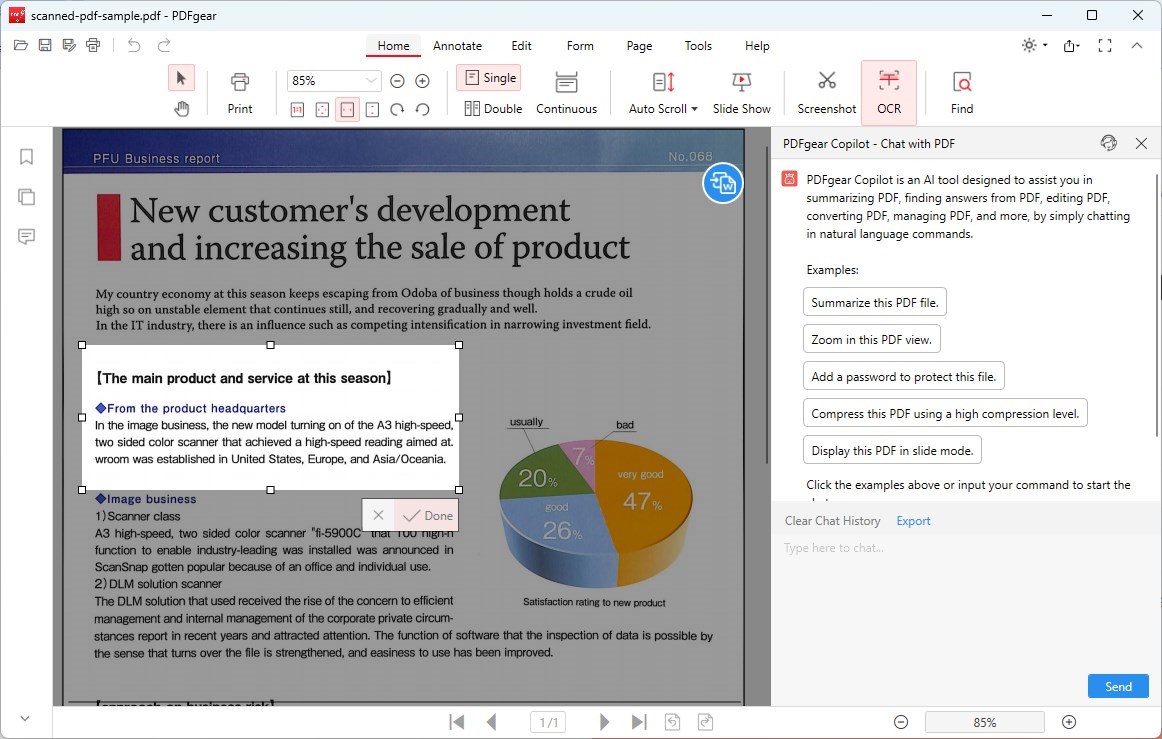
PDFgear OCR
Key Features
- OCR function supports 30+ languages.
- Supports batch processing of PDF documents.
- Supports use on PC and Mobile.
- Totally free to use, no watermark.
- After the article is converted, you can start editing immediately.
- Supports specific region recognition and conversion.
EasyOCR
EasyOCR is a general OCR library. By integrating EasyOCR into a Python program, automated office work can be easily achieved. EasyOCR can read text in natural scene pictures as well as text in documents.
There are currently more than 80 languages, including Latin, Arabic, and other languages. However, EasyOCR is mainly used to recognize printed text and is not good at recognizing handwriting.
When you use EasyOCR to recognize the text for the first time, you need to download a pre-trained model, so it takes a long time and errors may occur. Beyond that, its usage involves a lot of code, making it more developer-friendly and would be too complex for most people.
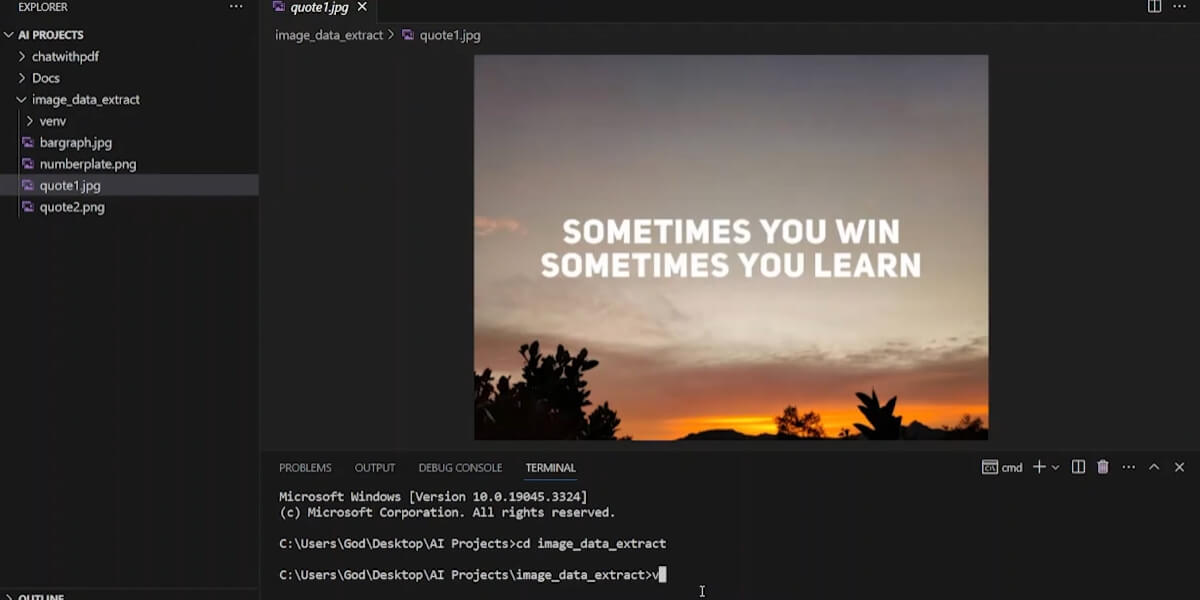
EasyOCR
Key Features
- Lightweight open-source PCR tool.
- Integrate with Python to realize automated office work.
- Also performs well when handling noisy images.
Tesseract OCR
Tesseract is considered one of the most accurate free and open-source optical character recognition engines, supporting multiple operating systems such as Windows, Linux, and Mac.
With the support of deep learning, Tesseract is able to accurately recognize and extract text, and Tesseract also shows good performance in handwritten text recognition.
The main advantage of Tesseract is that its open API makes it compatible with many applications using programming languages and frameworks, enabling better image processing.
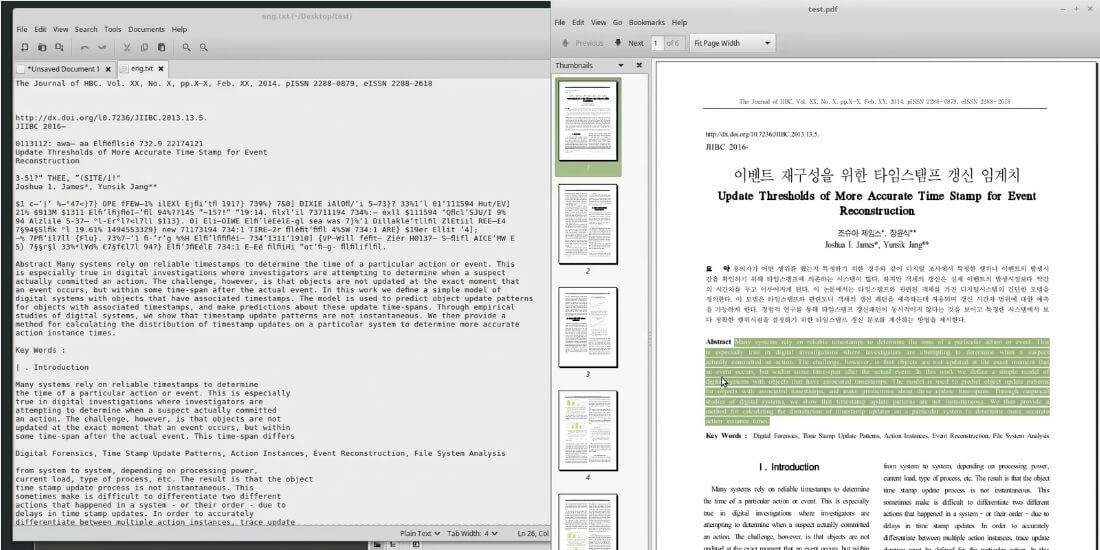
Tesseract
Key Features
- Open source and completely free OCR software.
- Supports images and documents in multiple formats.
- Supports 100+ language recognition.
Nanonets
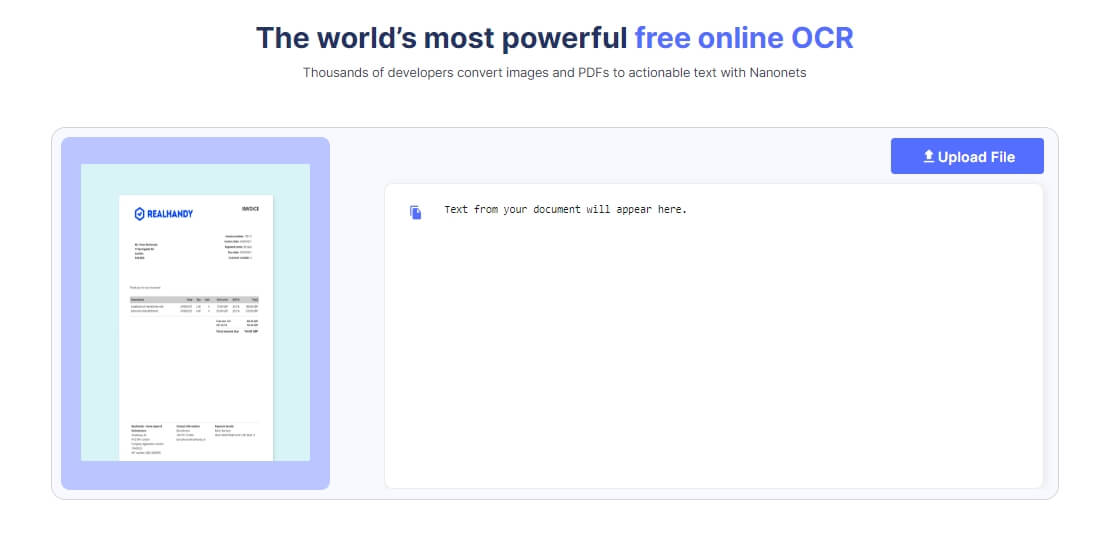
Nanonets is a powerful free online OCR platform. Powered by artificial intelligence and machine learning technology, Nanonets can quickly identify and convert text in any file with guaranteed accuracy.
In addition, Nanonets does not provide ready-made OCR APIs for common document types, such as invoices, statements, forms, etc., to improve conversion efficiency. And like some open-source OCR software, after creating an account, users can apply for an API key and integrate it into libraries for different programming languages and mobile platforms.
However, it is worth mentioning that Nanonets only supports one-click recognition, conversion, and download of an entire file, and cannot copy specific content.
Nanonets
Key Features
- Free online OCR platform
- Powerful machine learning capabilities and custom OCR API.
- Data security.
Microsoft OneNote
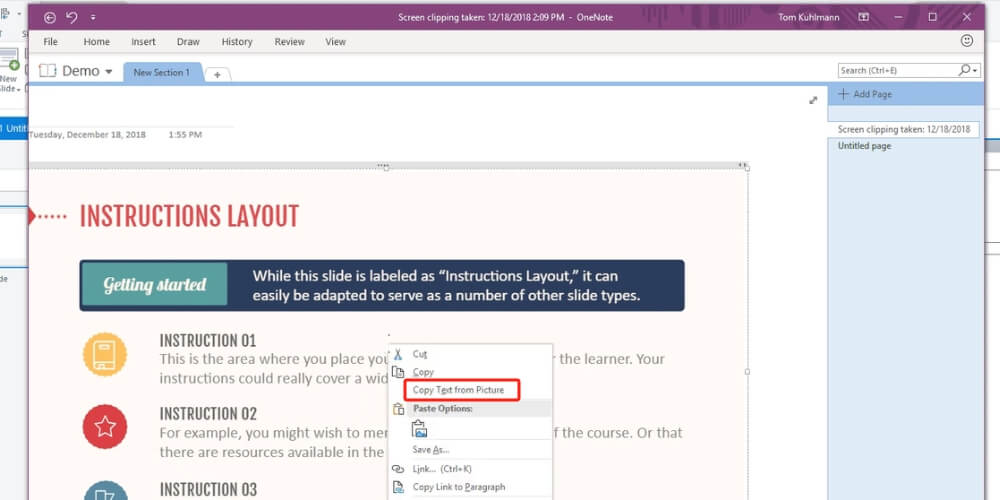
Microsoft OneNote is a great choice for students and teachers. Microsoft OneNote’s built-in OCR tool quickly extracts text from images and copy-pastes it into notes in just 3 steps. Supports Mac, Windows, iOS, or Android and allows cross-platform operation and sharing with others.
However, OneNote OCR doesn’t always work properly. Although it can recognize both printed and handwritten characters, the OCR results include missing text and inaccurate characters.
In addition, OneNote runs much more stably on Windows than on Mac, and errors may occur when installing OneNote on Mac. And if large documents need to be converted, OneNote may also experience a system crash.
Microsoft OneNote
Key Features
- Supports multi-device operation.
- Allows sharing and collaborative work with others.
- Totally free.
Adobe Scan
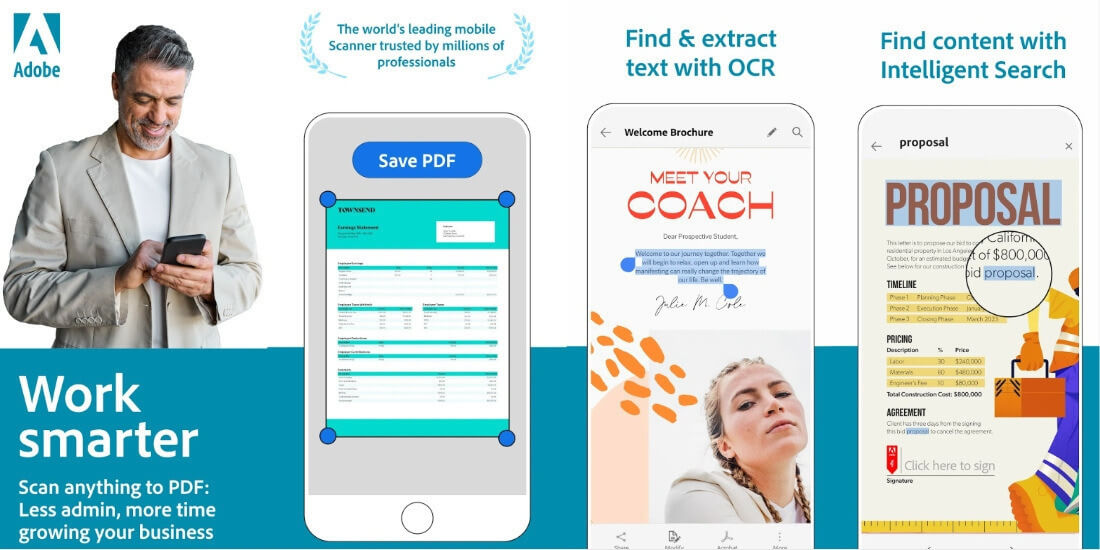
Adobe Scan is a scanner application for Mobile. Adobe Scan provides different scanning modes for different document types, such as whiteboards, books, documents, ID cards, and business cards, to ensure scanning accuracy and easily digitize documents.
Automatically scan, quickly identify, and automatically upload results to Adobe Document Cloud. Adobe Scan can extract text from a document and place it on the clipboard.
But in reality, it doesn’t allow you to edit the text in the source document itself.
Adobe Scan
Key Features
- Free OCR software for Mobile.
- Integrates with Adobe Document Cloud to support document sharing.
- Automatically capture documents and convert them quickly.
FreeOnline OCR
As its name suggests, this is a completely free online OCR tool that can easily convert scanned documents, PDFs, scanned invoices, screenshots, and photos into editable and searchable text.
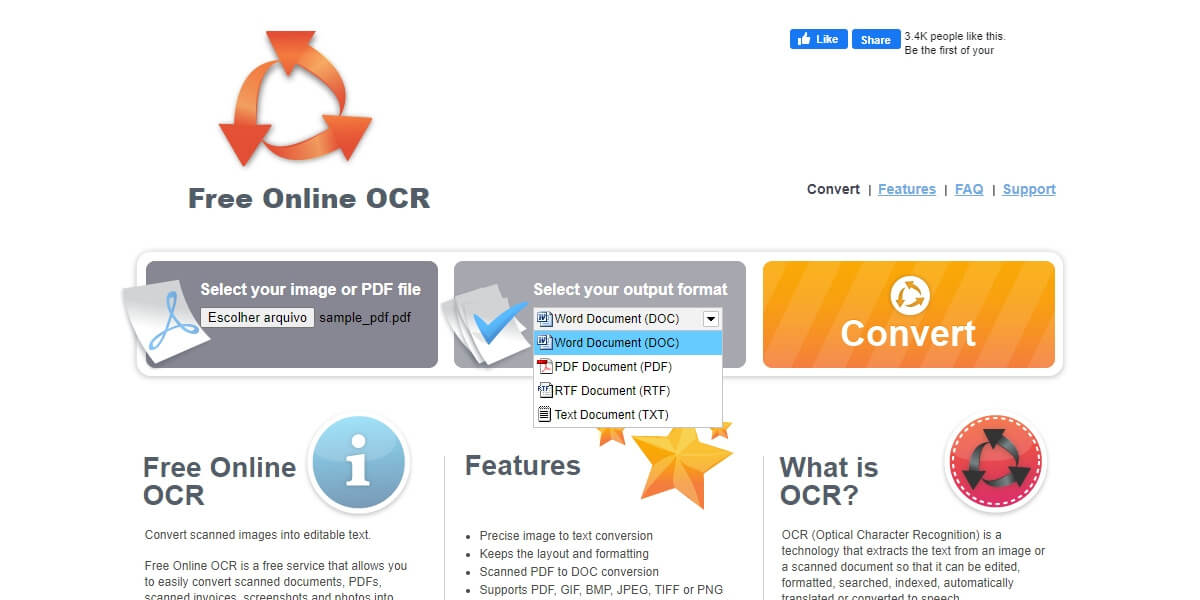
Its precise OCR conversion preserves the original layout and formatting while maintaining accuracy, and preserves the image layers of the scanned PDF. In addition to this, FreeOnline OCR can automatically detect skewed scanned documents and pre-process them to rotate them into a straight-on position before OCR processing.
However, it only supports one-click conversion of entire documents and images, and cannot copy the content of specific areas. For large files, OCR will take longer.
FreeOnline OCR
Key Features
- Convert images and documents online for free.
- Custom output formats: DOC, PDF, RTF, and TXT.
- Built-in dictionary to improve text recognition accuracy.
i2OCR
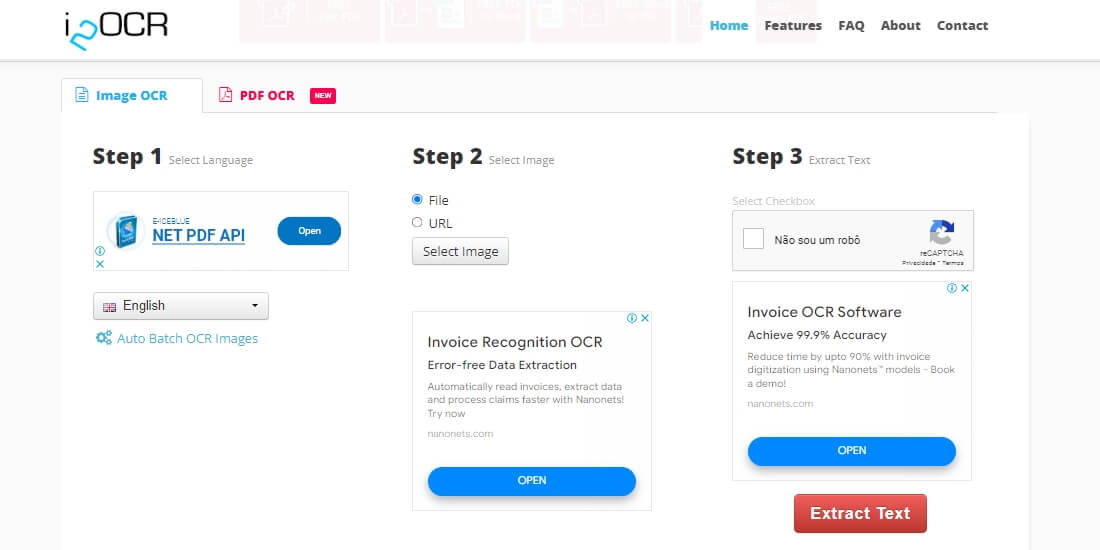
i2OCR is a free online optical OCR platform that extracts text from images and PDFs. What’s special is that in addition to recognizing local documents, i2OCR also accepts images and documents in various formats uploaded through Internet URLs.
After conversion processing, it supports translation using Google or Bing translation services. Supports more than 100 recognition languages, batch operations, and multiple output formats. But it also has some limitations.
Uploaded images or PDFs should be less than 10MB in size and have a resolution of at least 200 dpi, otherwise, you won’t get the best results.
i2OCR
Key Features
- 100% free and no registration is required.
- Provides 100% accuracy on high-quality resolution images and PDFs.
- Extensive language support, better than most OCR software.
SmartOCR
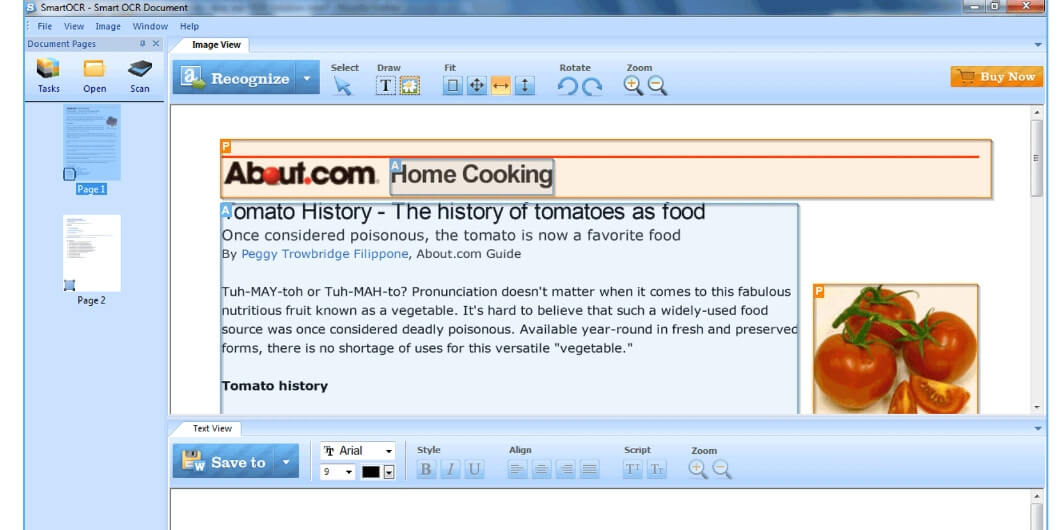
SmartOCR is a powerful and advanced desktop OCR solution. The accuracy of smart OCR is as high as 99%. A built-in text editor with a spell checker can suggest accurate corrections and save editable documents in a more accurate format.
Supports region recognition and provides powerful API and various customized OCR solutions. Its professional version also offers advanced features such as batch manager, custom dictionary, MS Office integration, Windows shell integration, and more.
Compared with other OCR software, SmartOCR is unique in that it can identify poor-quality and low-resolution scanned text and provide excellent OCR results.
SmartOCR
Key Features
- OCR conversion accuracy is high.
- Supports manual selection of text areas.
- Comes with a variety of advanced features.
- Runs on all versions of MS Windows.
FAQs
What is OCR software?
OCR (Optical Character Recognition) software is a technology that allows you to convert printed or handwritten text from images, scanned documents, or PDF files into machine-readable and editable text. It uses advanced algorithms to recognize characters and translate them into digital text, which can be easily searched, edited, and stored.
What are the common use cases for OCR software?
Some common use cases for OCR software include:
1. Converting printed books or articles into digital formats
2. Automating data entry tasks by extracting information from invoices, receipts, or forms
3. Making scanned documents searchable and editable
4. Assisting visually impaired individuals by converting text into speech
5. Translating text from one language to another
How accurate is OCR software?
The accuracy of OCR software depends on several factors, including the quality of the input image, the complexity of the text, and the capabilities of the software itself. Modern OCR software can achieve high accuracy rates of over 95%, but results may vary depending on the specific conditions. Clear, high-resolution images with simple fonts and layouts will generally yield better results than low-quality scans or images with complex formatting.
Conclusion
In short, OCR technology has made great progress in terms of functionality and usability. Whether you want to extract part of the text from a photo, or document, or convert the entire document into an editable document, OCR software can solve it.
The OCR software introduced in this article each has its advantages. Choose the one that best suits your needs to easily digitize documents and enhance your OCR experience.
