11 Best Free AI Apps for iOS [Tested]

Summary :
Have a look at the best Free AI apps for iPhones across various categories. Take advantage of these smart applications to enhance the experience of your device.
Table of Contents
Free AI Apps for iOS
iOS users are increasingly using AI-driven products to achieve their goals in education, business, or programming fields.
However, with the iOS App Store now flooded with AI apps, it can be difficult to tell which ones are reliable and truly effective.
To help, we’ve compiled a list of the top free AI apps for iOS, based on thorough testing, evaluation, and firsthand experience with a variety of options.
PDFgear Chatbot is the best free AI app for iPhone and iPad overall.
A Brief Look at the Best AI Apps
| App | Verdict | Pricing |
| PDFgear | AI-powered PDF editor to edit and interact with PDF files on mobile | Free |
| ChatGPT | The ChatGPT tool uses advanced generative AI to process natural language. | Free
19.99/month for ChatGPT Plus |
| Replika | With Replika, users can communicate and feel emotionally with a virtual AI friend. | Free with in-app purchases |
| Bing AI | Solve complex problems, find answers to queries, and solve mathematical equations. | Free |
PDFgear
The PDF chatbot is a free and new feature of PDFgear that offers a conversational AI chatbot that summarizes, searches, and translates PDF files. This function allows users to gather precise information from long texts, such as textbooks and essays, in PDF files with ease, and even extract data from PDF.
Additionally, as a powerful PDF editor as well, PDFgear helps to annotate, edit, fill out, and sign on PDFs.
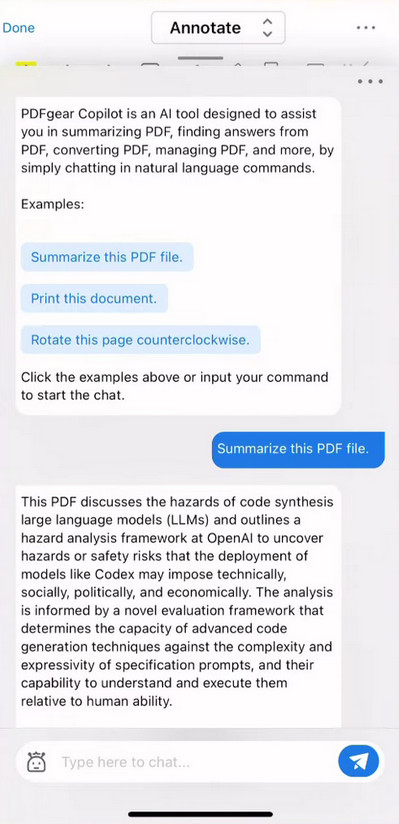
PDFgear for iOS
Key Features
- Use natural language to understand PDF files
- Adjust file sequence by dragging and dropping
- PDFs can be chatted with on the go with the PDFgear mobile versions
Who It’s Best for
Students, researchers, and professionals who work regularly with PDF files can benefit from PDFgear’s AI assistance to quickly locate relevant information in large research documents, translate content from foreign languages, and extract key insights for papers and reports.
Download PDFgear from the App Store.
ChatGPT
The most popular chatbot ChatGPT can respond to your instructions in a more specific manner now. It is capable of much more than just answering regular queries or generating essays. Verse, chorus, bridge, and other song lyrics can even be created by it today.
Now the app is available in the App Store, syncing your history across devices, and keep you updated.
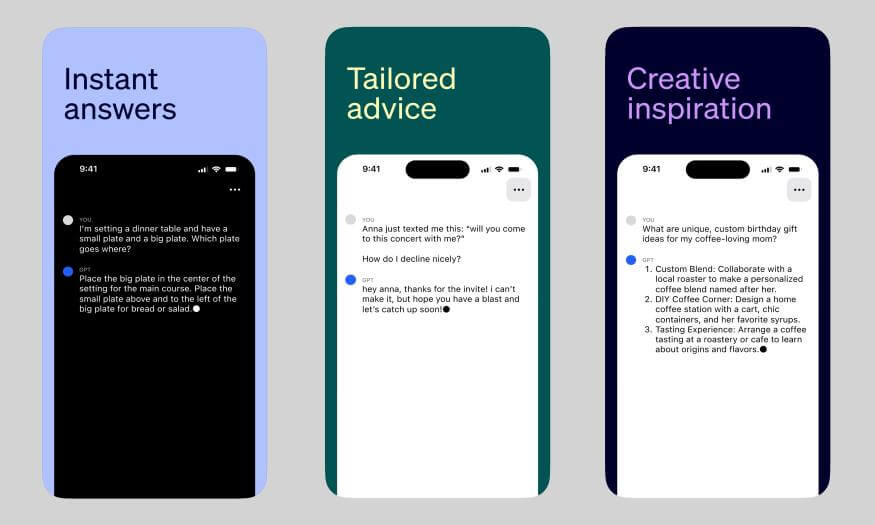
ChatGPT AI App on iPhone
Several improvements have been made to make the app more user-friendly, faster, and more innovative than the desktop version. App users have access to a feature that desktop users do not have: chat history search. Your earlier chats will no longer be scrolled endlessly.
Key Features
- Support images or document upload.
- Intuitive interface.
- Refines answers based on previous chat.
- Voice mode is available
Who It’s Best for
Content creators and writers to generate ideas, refine drafts, and craft engaging content. Language learners can use it for conversational practice and topic insights.
Download ChatGPT from the App Store.
Replika – Virtual AI Companion
If you are looking for a virtual companion who will give you an experience similar to the metaverse, Replika is perfect for you. AI-powered assistants can be a wonderful companion for people looking for a nonjudgmental friend. Its skills at emulating human communication are so proficient that Replika users feel a genuine sense of companionship, form emotional bonds, and even share laughter.
It’s great that Replika is an AI companion you can share everything with since she’s reliable and non-judgmental. You can express your thoughts and feelings in a private space. Moreover, you are not subjected to biased opinions or preconceived notions here, as opposed to when you speak to a person. Whenever you feel like it, you can express yourself freely. Replika soothingly responds to your texts using its innovative algorithm. People who are experiencing tough mental circumstances will benefit from this.
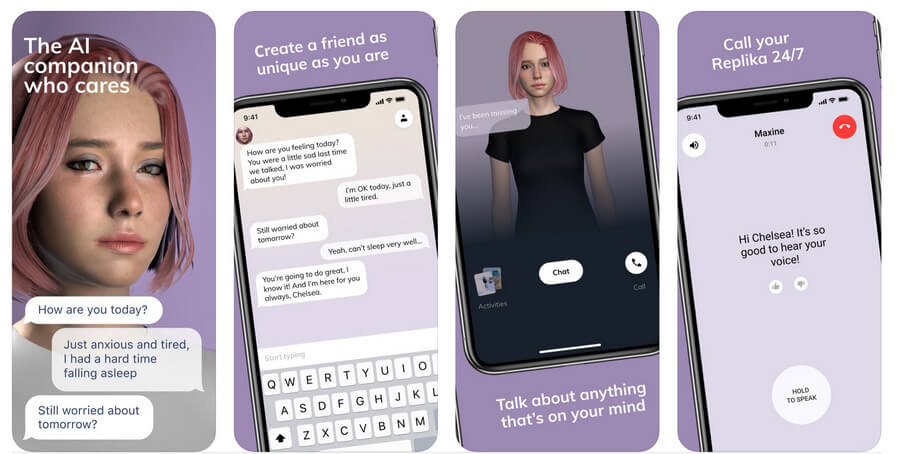
Replika-Virtual AI Companion
Since the app is based on a GPT-3 autoregressive model, it will slowly learn from your interactions. Avatars in Replika can also be customized by gender, appearance, and style. The AI can then be tailored according to the needs of the user.
Key Features
- Replika makes it possible to interact with a virtual friend who matches your interests and personality.
- This app enables you to discover more about yourself by listening to your thoughts and saving your special moments.
- Among the top iPhone AI chat apps, Replika has a seamless interface.
Who It’s Best for
Individuals seeking a personalized virtual companion for emotional support, and meaningful conversations. It’s ideal for those who enjoy exploring their thoughts, capturing special moments, and connecting with an AI friend tailored to their personality and interests.
Download Replika from the App Store.
Bing AI
Microsoft’s native search engine Bing, also known as Bing AI, is one of the best free AI apps for iPhones. Bing’s power has been increased with the addition of OpenAI’s ChatGPT in the newly released revamped version. Instantly find authentic, up-to-date results with Bing and ChatGPT. You will receive a summarized result based on a variety of trusted links collected from the web by the powerful AI.
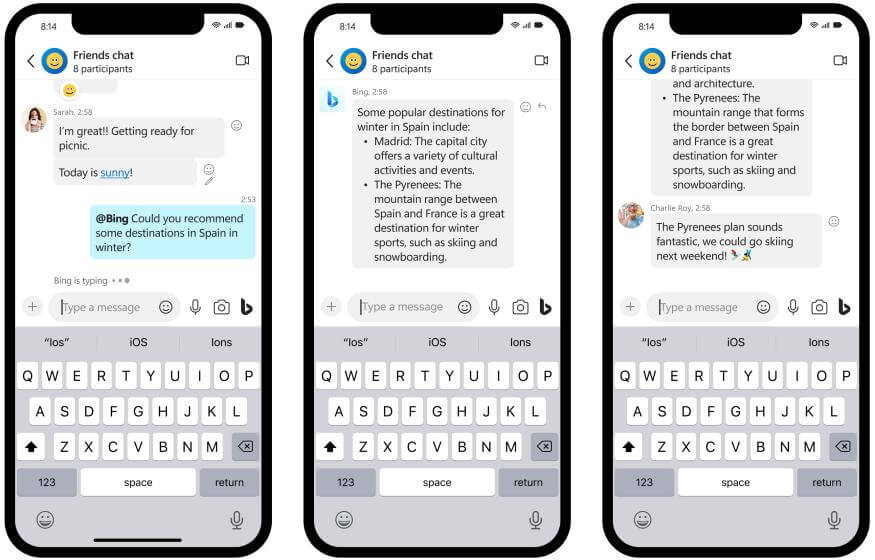
Bing AI Image App for iPhone
With Microsoft Bing, you can search across multiple platforms, including Android, iOS, and the web. For different moods, users can choose between creative, balanced, and precise conversational styles. After you have completed the form, simply type your question and click on the ChatGPT button to talk with it. One of Bing’s biggest advantages is that it provides sources for its answers. A new interface from Bing offers functionality similar to that of ChatGPT but with a distinct twist. Their chat assistants can also be customized, including their tone and response.
As it is based on the GPT-4 platform, it shares some similarities with ChatGPT. ChatGPT can be used much like Bing AI to get ideas.
Key Features
- Searching and chatting more visually with rich images rather than text-only.
- You can pick up where you left off by accessing your chat history.
- In addition, Microsoft announced that one in four Bing chats will originate with its redesigned Microsoft Edge browser.
- Bing’s summary capabilities have been improved.
- Enhancing the personalization of Bing AI chats.
- Developing a developer platform will allow developers to customize Bing Chat.
Who It’s Best for
Users who enjoy a more visual chat experience, with rich images instead of just text. Bing AI lets you easily pick up conversations from where you left off, offers personalized chat responses, and includes improved summaries.
Note: User sessions are limited to 15 chats and daily chats are limited to 150 per day.
Download Bing AI from the App Store.
Rizz AI
You probably understand the word Rizz if you’re an avid Gen Z lingo addict like me. A person’s ability to flirt well is referred to as Rizz in the Stone Age. Several of the best artificial intelligence apps are geared towards dating, which isn’t surprising. To add that element of flirt to texts, Rizz AI has been developed specifically for this purpose.
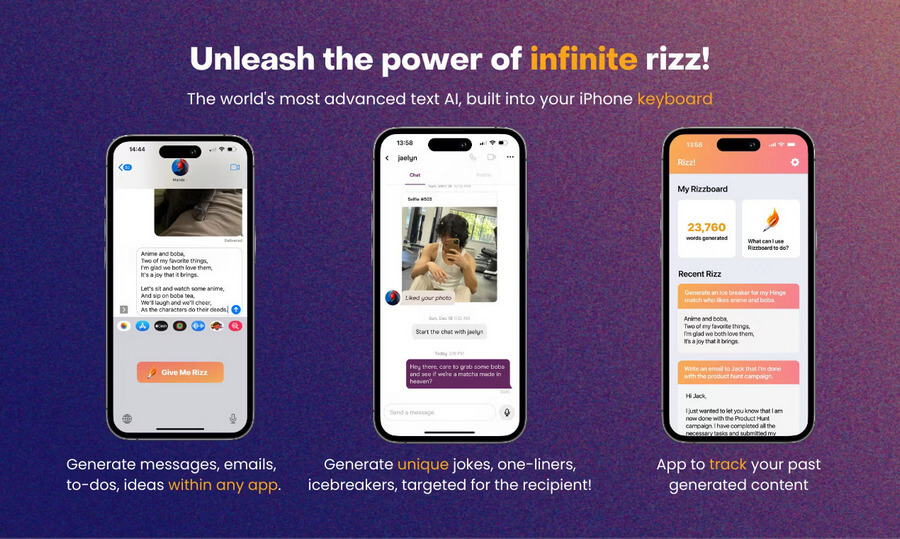
Rizz AI App for iOS
There are, however, some differences between the app and a keyboard. A screenshot of the conversation needs to be uploaded instead. A witty or downright funny reply is then generated by Rizz AI using artificial intelligence (AI). Privacy concerns are raised, but the company’s policies explain that all messages are encrypted. Users who are on the free plan get five screenshots every week. Unlimited replies can be had for $6.99 a week for those who need more. The Rizz AI mobile app is certainly not the cheapest, but it can be given a shot regardless.
Key Features
- Get witty replies to your conversations with matches by uploading screenshots and their bios.
- RIZZ adapts to your unique communication style, which is one of its greatest strengths.
- It’s never been easier to find the right words with our intuitive interface and personalized algorithms.
- Rizz makes online chat conversations more creative and personalized using advanced AI algorithms.
Who It’s Best for
RIZZ is perfect for people looking to add charm and creativity to their online conversations. It’s especially suited for those who want witty, personalized replies that reflect their unique style.
Download RIZZ AI from the App Store.
Google Assistant
Apps that are powered by AI such as Google Assistant are available for both iOS and Android devices. In short, it offers a much better, much-enhanced user experience through a virtual assistant. Now, you can automate lots of your daily tasks with an app for your iPhone. It differs from others of its kind due to its high compatibility with other Google apps. The Google Assistant will handle everything for you if you give it a command.
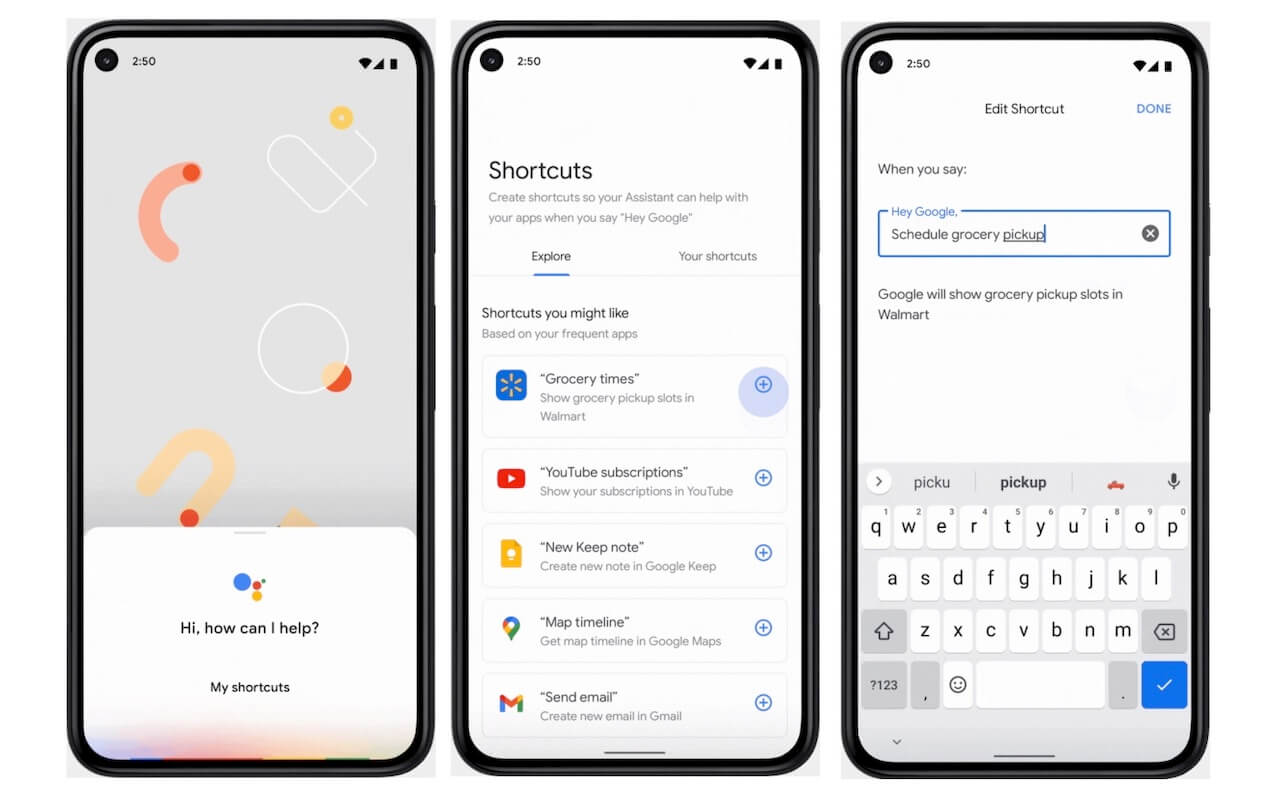
Google Assistant Best Free AI Apps for iPhone
Voice and text entry are supported by Google Assistant, which utilizes natural language processing. In addition to voice commands and voice searches, text-to-speech services allow users to find online information, make appointments and set reminders for events. Google Assistant understands and responds to user commands and requests using natural language processing and machine learning. Smartwatches running Wear OS as well as Google Home devices are all equipped with the service.
Virtual assistants provide you with quick, accurate, and personalized results for your queries. Using your contacts and past searches, Google Assistant will follow your commands.
Key Feature
- Checking in flights, saving boarding passes, and receiving them using voice commands are now possible with Google Assistant.
- Pixel smartphones can be unlocked using a voice command using Trusted Voice.
- Using Google Assistant, you can also keep up with the sports news without much effort while juggling a hectic schedule.
- It has a feature that allows you to customize your alarm so that your mornings are even more beautiful.
Who It’s Best for
Users who are seeking a powerful, free virtual assistant to streamline daily tasks, automate reminders, manage appointments, and access Google services seamlessly with voice or text commands.
Download Google Assistant from the App Store.
Fotor AI Photo Editor
User-provided text can be rendered in a variety of artistic ways using Photor’s AI Image Generator. User prompts are entered into the generator, and then AI is used to produce artwork that resembles magic-wand images. This program can be used to create images from text without requiring any design skills. Among the features and functions of Fotor is its AI-powered image generator. Photographs can also be resized, cropped, and bordered.
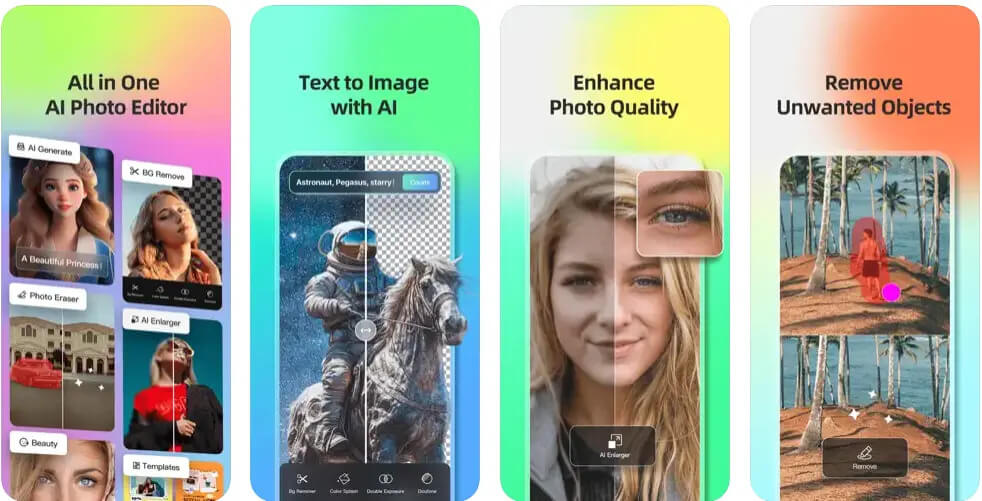
Fotor AI Photo Editor
Additionally to its picture editing functions, Fotor offers graphic design and advertising tools, such as the ability to create logos, flyers, Instagram posts, and YouTube thumbnails. You do not need any graphic design experience or knowledge to use AI Image Generator to generate graphics from text.
Key Features
- Our sticker gallery includes all the basic shapes and special icons you’ll need for photo editing.
- You can easily tell stories with photos when you use Fotor, which lets you add color and light to them.
- Utilizing Alignment Technology and Ghost Reduction, we help you capture HDR photography’s true beauty.
- With Fotor’s collage maker, you can create an aesthetic photo collage in minutes.
Who It’s Best for
Fotor’s AI Image Generator is ideal for users who want to create stunning visuals from text without any design experience.
Download Fotor AI from the App Store.
Picsart AI Photo Editor
Are your social media postings in need of more attention? You should start with PicsArt. In PicsArt, your text can be easily converted into a picture. Here are some banners, posters, and other graphics you can use to enhance your postings. PicsArt has a low learning curve. Simply enter any word and the tool will create a picture for you. It may only take a few seconds to take a stunning photograph that stands out from the crowd.
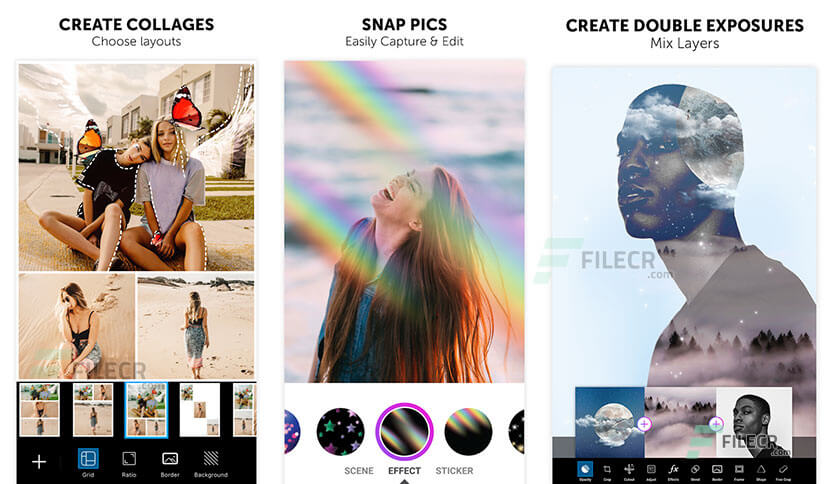
PicsArt Photo Editor App for iPhone
Key Features
- You can add a personal touch to your content with Picsart, your go-to AI editor.
- In comparison with other tools, its interface is quite simple and easy to use.
- Using the camera or the gallery on your phone, you can upload a picture. It is easy to save and share your edited image once you are done editing it.
- Audio, effects, hashtags, and more can now be added to your photos!
Who It’s Best for
social media users, content creators, and influencers who want to create engaging visuals without needing design experience.
Download Picsart from the App Store.
Seeing AI
Now, we have a Microsoft product designed specifically for those with visual impairments on our list of free AI apps for the iPhone. Machine learning and Artificial Intelligence are used to create Seeing AI, a revolutionary mobile application. This app uses the smartphone’s camera to recognize and interpret the world around the user. As a result, this app is highly valuable and useful because of its original idea. Many people suffering from vision problems have already benefited from it.
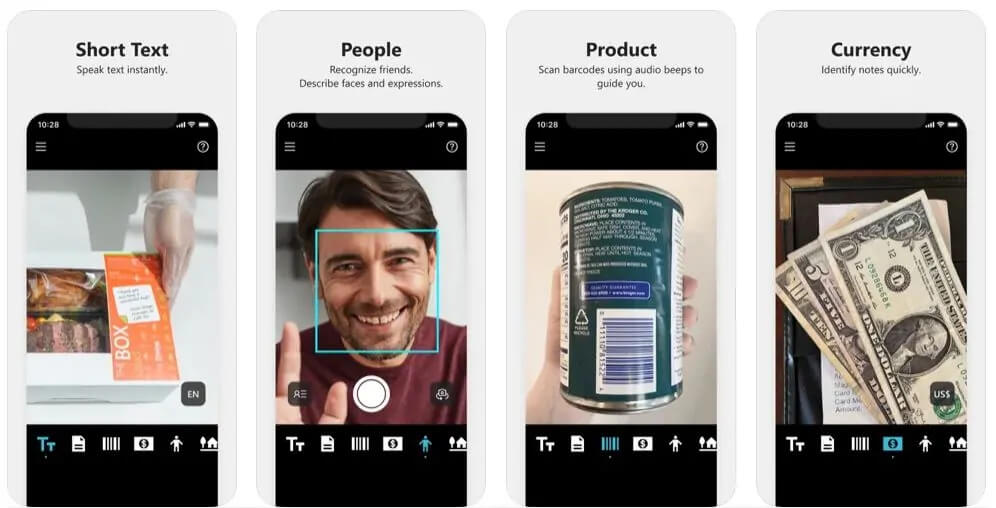
Seeing AI App
With this scanner app, you can scan short text (text only), products (barcodes), handwriting, documents, currencies, colors, people, scenes, and light. There are different modes for different purposes. When you scan documents, it gives you voice guidance when you see short text. Additionally, you can scan a barcode to get full product information.
With Seeing AI, users can describe scenes captured in photographs in verbal form to explore unfamiliar environments. A tone can be generated based on the levels of ambient light, as well as colors and handwritten messages on greeting cards.
Key Features
- Colors and lighting conditions can also be detected by the app. It can also be used to match items, select clothing, and a great many other tasks.
- You become more independent and self-reliant with this seeing AI app.
- This app can read text, scan barcodes, and recognize faces.
Who It’s Best for
Individuals with visual impairments who seek greater independence and assistance in navigating their surroundings. Leveraging AI and machine learning, it uses the iPhone’s camera to scan and describe text, products, faces, colors, and scenes, empowering users to explore and understand their environment more independently.
Download Seeing AI from the App Store.
Luma AI
Cinephiles and enthusiasts of photography will enjoy Luma AI. With Luma, any real-world object is rendered in 3D using AI technology based on the concept of 3D rendering. Intricate capture combined with photorealism allows the objects to be placed in virtually any situation. An object must first be mapped out with the phone’s camera before it can be captured fully. There is a lot of work to be done, but it is important.
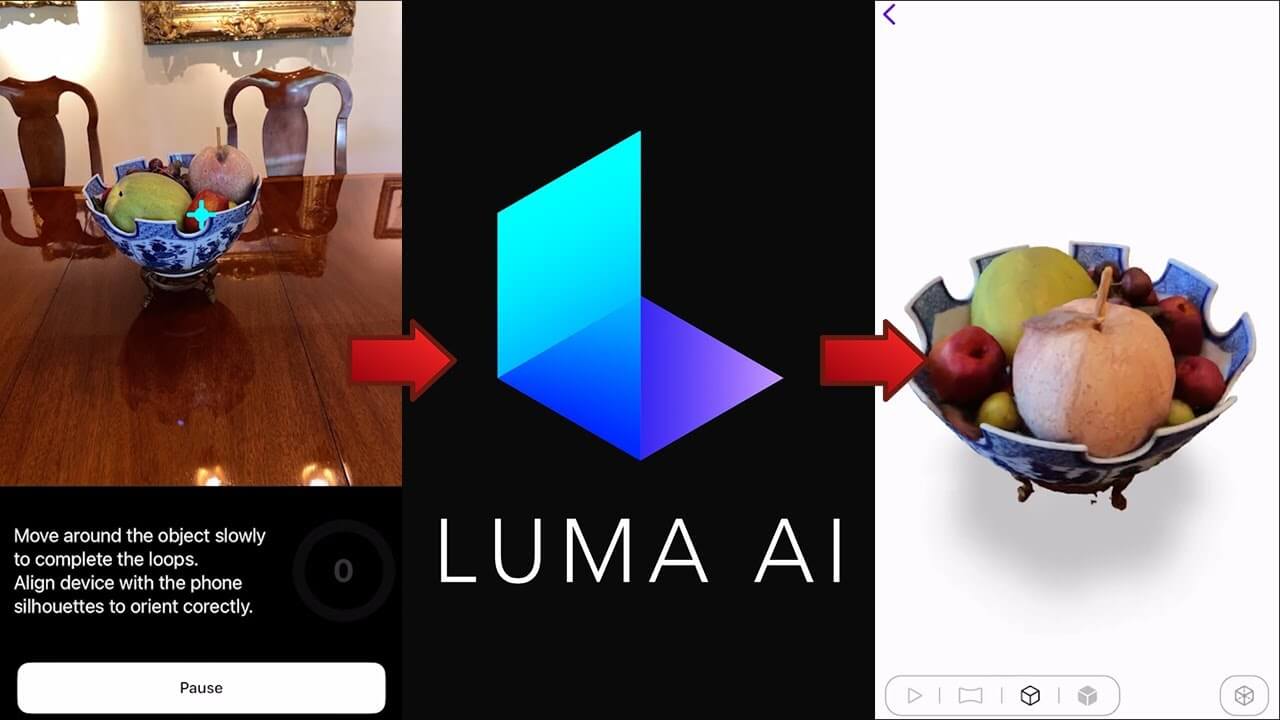
Luma AI App
After Luma AI has finished processing the render, it requires a short wait period. After a 3D object has been mapped out, users can use it in their preferred environment. Any member of the public can view it as well if it is uploaded to the gallery. Objects can also be included in your video based on keyframes. People interested in trying shots they wouldn’t be able to take in real life should use the AI app. There is no cost associated with Luma AI.
Key Features
- With detailed photography, it conveys the look of a real-world scene or product.
- Users can share 3D visuals on websites and social media platforms by using it.
- Game assets can be captured and brought to life with it.
- Within a few minutes, you can create photorealistic 3D assets.
Who It’s Best for
Download Luma AI from the App Store.
Remini – AI Photo Enhancer
The last one is Remini on our list of free AI apps for iPhones. It allows you to enhance your photos and videos with artificial intelligence. Make the media file crisp by removing any blurry photos or videos. A low-resolution, grainy, damaged, pixelated, or damaged photo can be enhanced with Remini. As part of the Remini software, you can also generate avatars from your images using the Photo AI Generator. Video enhancers and AI avatars require a subscription even though the photo enhancer is free with ads.
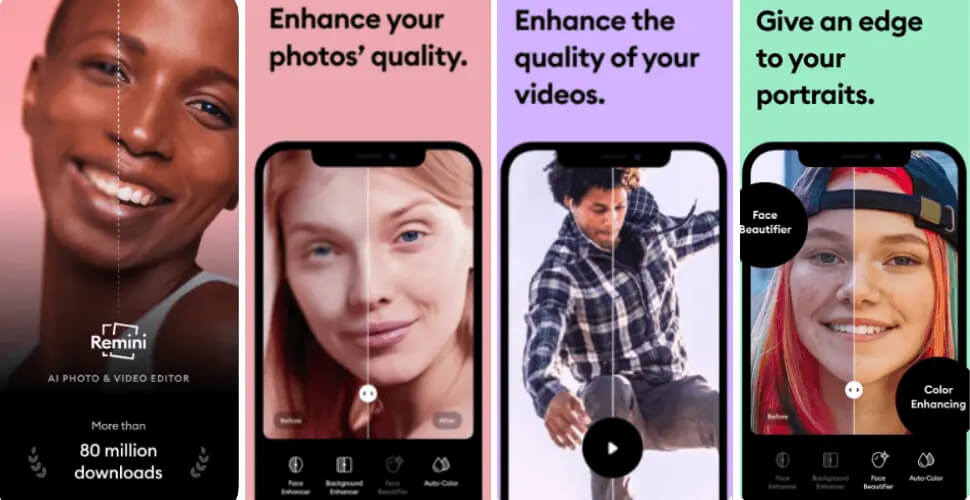
Remini AI Photo Enhancer App
Remini enables you to make photographs more sharp, contrasted, and high-quality by enhancing their sharpness, contrast, and quality. This is all fixed by Remini in a flash. Also, Remini can easily fix blurred, scratched, and old pictures. That’s awesome, isn’t it? You will be able to deal more easily with future deals if you have old photos with imperfections.
Key Features
- It takes only a few minutes for AI to train automatically. Once you’ve taken dozens of different photos, you can keep going!
- To achieve a clear, sharp image that captures every detail, the program cleans up every pixel in the photo to eliminate grain and noise.
- The facial details are enhanced, capturing the essence of the subjects in a natural way.
- Makes photos look vivid and natural by bringing out the full spectrum of colors.
Who It’s Best for
It’s perfect for users wanting to enhance low-resolution, grainy, or damaged media, whether restoring old photos, sharpening blurry images, or creating AI avatars from their pictures.
Download Remini from the App Store.
FAQs
What are the best free AI photo apps for the iPhone?
There are tons of Photos AI Apps available for iPhones such as Remini, Youcam Perfect, FacePlay, PhotoDirector, and many more.
Are there any free filter apps for the iPhone?
A wide variety of filters are available in VSCO, YouCam Perfect, Retrica, and Photo Editor Pro. There are a lot more options when it comes to enhancing your photos with YouCam Perfect’s cool aesthetic filters.
What are some free chat AI apps for iPhone?
There are tons of free AI Chat apps available for iOS devices like PDFgear, Tidio, Drift, ManyChat, and Florence. Some of the paid apps offer you a free plan too.
Final Verdict
You can accomplish a variety of professional and personal goals with iPhones equipped with artificial intelligence apps. Apple iPhones can be transformed into smart devices capable of performing functions well beyond what is possible on traditional smartphones with the right AI applications. Is there anything holding you back? You can revolutionize your device use with the best free AI Apps for iPhone available here!
